

Features to Look For in an Underwater Video Camera:
Based on our use in the field, we have determined the following best underwater video cameras by use case:
Best overall: Canon R6 Mark III
Best cinema workflow: Nikon ZR
Best low light: Sony FX3
Best action camera: GoPro HERO13
Best pro action camera: GoPro Mission One Pro
Best compact: OM System TG-7
Best beginner mirrorless: Canon R10
Best APS-C: Sony a6700
Best hybrid: Sony A7R VI
Best 8K: Sony A1 II
How We Choose the Best Underwater Video Cameras
For a broader overview of camera options for scuba, snorkeling, still photography, travel, and professional systems, start with our complete guide to the best underwater cameras. This guide is the video-focused companion, written for divers who want to choose the best underwater video camera for their shooting style.
Best Overall Camera for Underwater Video
| Best Overall Camera for Underwater Video | Canon EOS R6 Mark III | Best balance of full-frame quality, 7K/4K options, autofocus, hybrid usability, and housing support. | Shop Camera → |
| Best Cinema Camera for Underwater Video | Nikon ZR | Compact cinema body with internal RAW, strong dynamic range, dual-base ISO, and serious video workflow. | Shop Camera → |
| Best Low Light Camera for Underwater Video | Sony FX3 | Lower-resolution full-frame sensor means larger pixels, excellent high-ISO behavior, and cleaner low-light footage. | Shop Camera → |
| Best Action Camera for Underwater Video | GoPro HERO13 Black | Small, simple, stabilized, and excellent for wide-angle dive footage and travel. | Shop Camera → |
| Best Pro Action Camera for Underwater Video | GoPro Mission One Pro | Higher-end action option for creators needing more resolution, frame-rate flexibility, and professional workflow. | Shop Camera → |
| Best Compact Camera for Underwater Video | OM System TG-7 | Simple, rugged, compact, and good for beginner video and macro clips. | Shop Camera → |
| Best Beginner Mirrorless Camera for Underwater Video | Canon EOS R10 | Affordable interchangeable-lens option with strong autofocus and good value. | Shop Camera → |
| Best APS-C Camera for Underwater Video | Sony a6700 | Excellent APS-C video features, 4K/120p, strong autofocus, and compact travel size. | Shop Camera → |
| Best Hybrid Camera for Underwater Video | Sony A7R VI | High-resolution hybrid option for shooters who need strong stills and serious video. | Shop Camera → |
| Best 8K Camera for Underwater Video | Sony A1 II | Flagship 8K option with strong stills, autofocus, and professional housing support. | Shop Camera → |
Best Overall Camera for Underwater Video
Canon EOS R6 Mark III
The Canon EOS R6 Mark III is our best overall underwater video camera because it gives serious shooters the best balance of full-frame image quality, autofocus, stabilization, 4K/120p, 7K recording options, and practical underwater housing support.
Best for: Serious underwater video shooters, Canon users, hybrid photo/video creators, reef scenes, large animals, macro video, and divers who want a high-end system without moving into a dedicated cinema camera.
Why we like it underwater: We tested the Canon EOS R6 Mark III in real dive conditions, including the Galapagos and lower-visibility Pacific Northwest water. That matters because underwater video is not just about resolution. The camera needs to focus on moving subjects, handle changing light, work well inside a housing, and produce footage that is manageable after the dive. The R6 Mark III does all of that well. The 32.5MP full-frame sensor gives a useful balance of detail and low-light performance. It has enough resolution for cropping and hybrid stills, but it does not create the same workflow burden as some higher-resolution or cinema-focused systems. The autofocus is fast and reliable for underwater subjects, and the in-body image stabilization is especially helpful for handheld video, macro clips, and shooting in surge.
Video strengths: One of the biggest practical improvements is Canon’s updated custom white balance workflow. Older Canon systems made custom white balance more tedious underwater. The R6 Mark III makes it much easier, which is important for ambient-light video where color changes quickly with depth.
Underwater limitations: This is not the smallest or cheapest video setup. The R6 Mark III also needs a proper housing, ports, lenses, lights, arms, and accessories to get the best results.
Best housing path: Current housing options include Ikelite, Marelux, Nauticam, and Inon. Ikelite is a strong value path with excellent control access, while Marelux and Nauticam are better suited to divers wanting aluminum housings, refined ergonomics, and more advanced accessory support.
Recommended setup: For wide-angle video, pair the R6 Mark III with a fisheye or rectilinear wide-angle lens, the correct dome port, a stable tray and handles, float arms, and dual video lights. For macro video, use the Canon RF 100mm macro, a flat port, focus light, and wet diopter if you want more magnification.
Who should buy it: Choose the Canon EOS R6 Mark III if you want one serious full-frame camera for both underwater video and still photography.
Who should skip it: Skip it if you want the smallest, simplest, or most budget-friendly underwater video setup.
Next step: Read our full Canon EOS R6 Mark III underwater review, compare compatible R6 III underwater housings, or contact Bluewater Photo for help building the right system.
Sample Underwater Photos
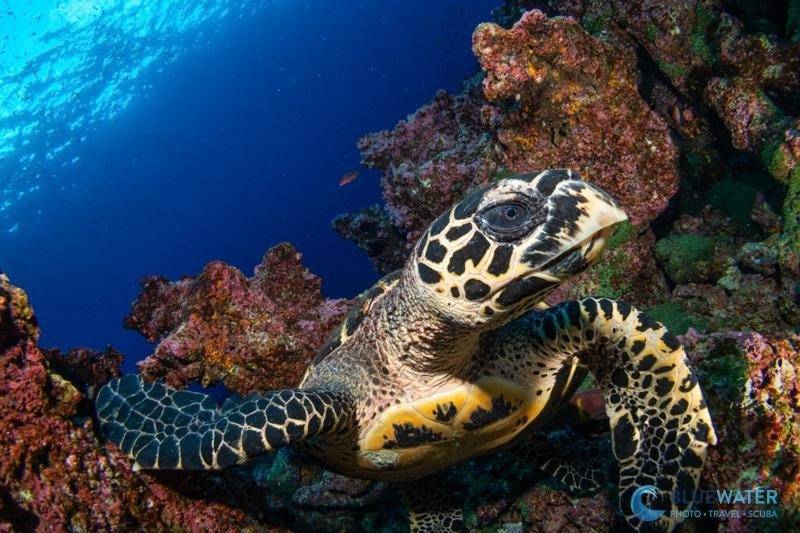
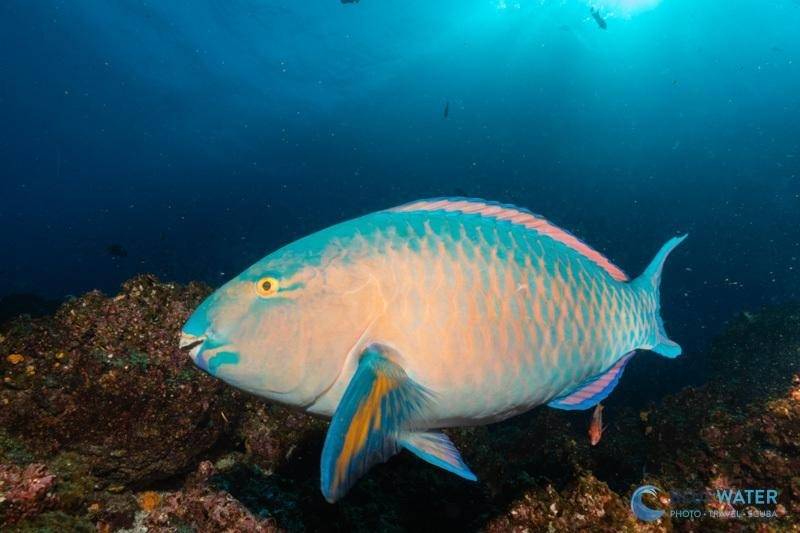
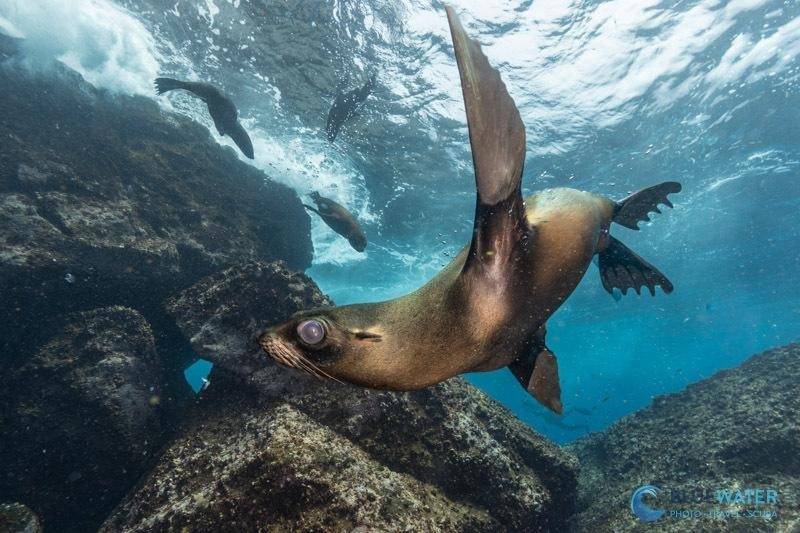
Best Cinema Camera for Underwater Video
Nikon ZR
The Nikon ZR is our pick for the best cinema camera for underwater video because it brings serious video tools — including 6K/60p, internal RED RAW, N-Log, dual-native ISO, strong stabilization, and a compact full-frame body — into a system that makes sense for underwater filmmakers.
Best for: Underwater videographers, cinema-style shooters, macro video, filmmakers who want RAW flexibility, and divers who prioritize video over still photography.
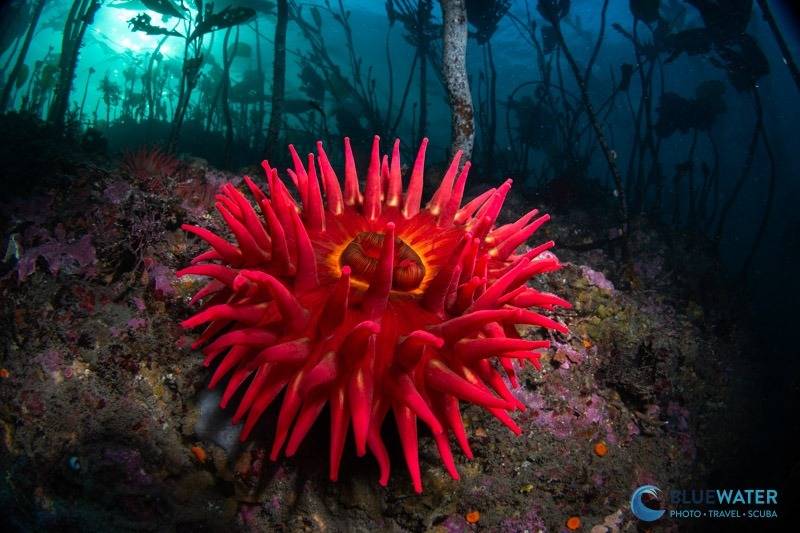
Why we like it underwater: We tested the Nikon ZR in cold Pacific Northwest conditions, including kelp forests, low-light scenes, macro subjects, and fast-moving marine life. That is a useful test environment because it shows how a camera handles real underwater problems: limited light, green water, surge, small subjects, and changing color. The ZR stood out because it feels like a video-first camera rather than a still camera with video added on. Its 6K/60p recording gives underwater shooters room to crop, reframe, or stabilize footage while still delivering a 4K final edit. That is especially useful for macro video, where small subjects move quickly and perfect framing is not always possible underwater.
Video strengths: The main advantage of the Nikon ZR is workflow flexibility. Internal RED RAW gives serious editors much more control over white balance, ISO, and color after the dive. That matters underwater because color temperature changes constantly with depth, distance, lighting, and water conditions. For shooters who do not want a full RAW workflow, N-Log and ProRes options provide a more manageable path while still offering strong grading flexibility. The dual-native ISO system is also valuable underwater. While the Sony FX3 is still the stronger choice for extreme low light, the ZR performs well when shooting in darker water, kelp forests, or deeper scenes where ISO needs to climb. The in-body stabilization helps smooth out small movements from surge and handheld shooting, making footage look steadier without relying too heavily on post-stabilization.
Underwater limitations: The Nikon ZR is not the best choice if still photography is equally important. Its flash sync speed makes it less practical for many underwater still photographers. Battery life is also a consideration; for serious video dives, spare batteries should be treated as essential. If you want the simplest travel setup, choose a GoPro or TG-7. If you want the best extreme low-light performance, the Sony FX3 may be the better fit.
Best housing path: Current Nikon ZR housing options include Ikelite, Aquatica, and Nauticam. Ikelite is a strong value option and was used during our underwater testing. Aquatica is a good fit for divers who want a rugged aluminum housing with straightforward controls, especially in cold or demanding conditions. Nauticam is the premium path for shooters building a more expandable cinema-style system with advanced accessories, optics, and monitor options.
Recommended setup: For wide-angle video, pair the ZR with a fisheye or rectilinear wide-angle lens, the correct dome port, a stable tray and handles, float arms, and dual video lights. For macro video, use a Nikon Z 105mm macro lens or compatible F-mount macro lens with the FTZ adapter, a flat port, focus light, and close-up accessories if needed.
Who should buy it: Choose the Nikon ZR if video is your priority and you want a compact full-frame cinema-style camera with RAW flexibility, strong stabilization, 6K capture, and a serious post-production workflow.
Who should skip it: Skip it if you mainly shoot still photos, want the smallest files, do not want to color grade, or need the simplest possible underwater video setup.
Next step: Read our full Nikon ZR underwater review, compare compatible Nikon ZR housings, or contact Bluewater Photo for help building a cinema-focused underwater video system.

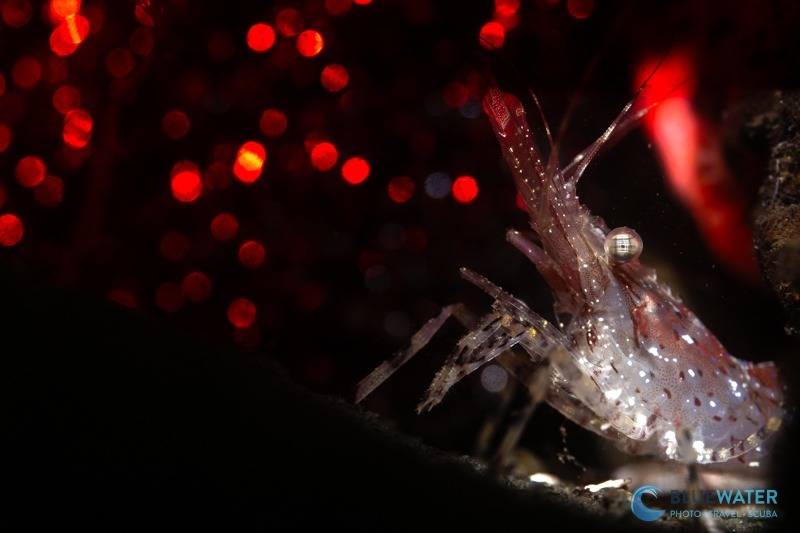
Best Low Light Camera for Underwater Video
Sony FX3
The Sony FX3 is our pick for the best low-light camera for underwater video because its lower-resolution full-frame sensor is designed for clean video, high-ISO performance, 4K recording, and a compact cinema-style workflow.
Best for: Low-light underwater video, deeper dives, green water, caves, wrecks, twilight dives, ambient-light shooting, serious 4K video, and dedicated Sony video shooters.
Why we like it underwater: The FX3 is essentially a cinema-line version of the Sony A7S III, which has long been one of the strongest full-frame cameras for underwater 4K video. Its main advantage is the sensor. Instead of chasing high megapixel counts, the FX3 uses a lower-resolution full-frame sensor with larger pixels. Larger pixels can gather more light, which helps reduce visible noise when shooting at higher ISOs. That matters underwater. Light disappears quickly with depth, and many video situations are darker than they look on the surface. If you shoot in temperate water, on wrecks, inside swim-throughs, at dusk, or in deeper reef environments, the FX3 gives you cleaner footage than most high-resolution hybrid cameras.
Video strengths: The FX3 is strongest when video quality matters more than still-photo resolution. It offers excellent 4K recording, strong low-light performance, and 4K/120p for slow-motion footage. Slow motion is useful underwater because it helps smooth out surge, fin movement, handheld camera motion, and fast-moving marine life. The FX3 also has a cooling fan, which can be useful for longer high-frame-rate recording. Most divers will not shoot 4K/120p continuously for an entire dive, but for shooters who regularly film long slow-motion sequences, the FX3 is better suited to that kind of work than many stills-first mirrorless bodies.
Underwater limitations: The FX3 is not the camera to buy if still photography is equally important. Its lower-resolution sensor is a major benefit for video and low light, but it is not ideal for high-resolution stills, heavy cropping, or large photo prints. If you want one camera for serious stills and video, the Canon EOS R6 Mark III, Sony A7R VI, or Sony A1 II may be a better fit. Some of the FX3’s cinema-body features also matter less underwater. The top handle, XLR audio adapter, and body accessory threads are useful on land, but they are not major advantages once the camera is inside a housing.
Best housing path: The Sony FX3 has underwater housing support from Nauticam, Marelux, and Ikelite. Nauticam is the premium path and is a strong choice for shooters who want refined ergonomics, external monitor compatibility, and access to Nauticam’s port and accessory ecosystem. Marelux is a good aluminum housing option with strong ergonomics. Ikelite is the more affordable path and supports full camera control, accessory bulkheads, and a broad Sony E-mount lens port system.
Recommended setup: For wide-angle low-light video, pair the FX3 with a fast wide-angle or fisheye-compatible lens, the correct dome port, a stable tray and handles, float arms, and high-output dual video lights. For macro video, use a Sony-compatible macro lens, flat port, focus light, and close-up accessory if needed. An external monitor is worth considering for serious video shooters because it makes framing and focus confirmation much easier underwater.
Who should buy it: Choose the Sony FX3 if video is your main priority and you want one of the strongest compact full-frame systems for low-light underwater footage, 4K quality, and professional video workflow.
Who should skip it: Skip it if you mainly shoot still photos, want high-resolution files, need 8K, or want the simplest and least expensive underwater video setup.
Next step: Read our full Sony FX3 underwater review, compare compatible Sony FX3 housings, or contact Bluewater Photo for help building a low-light underwater video system.

Best 8K Camera for Underwater Video
Sony A1 II
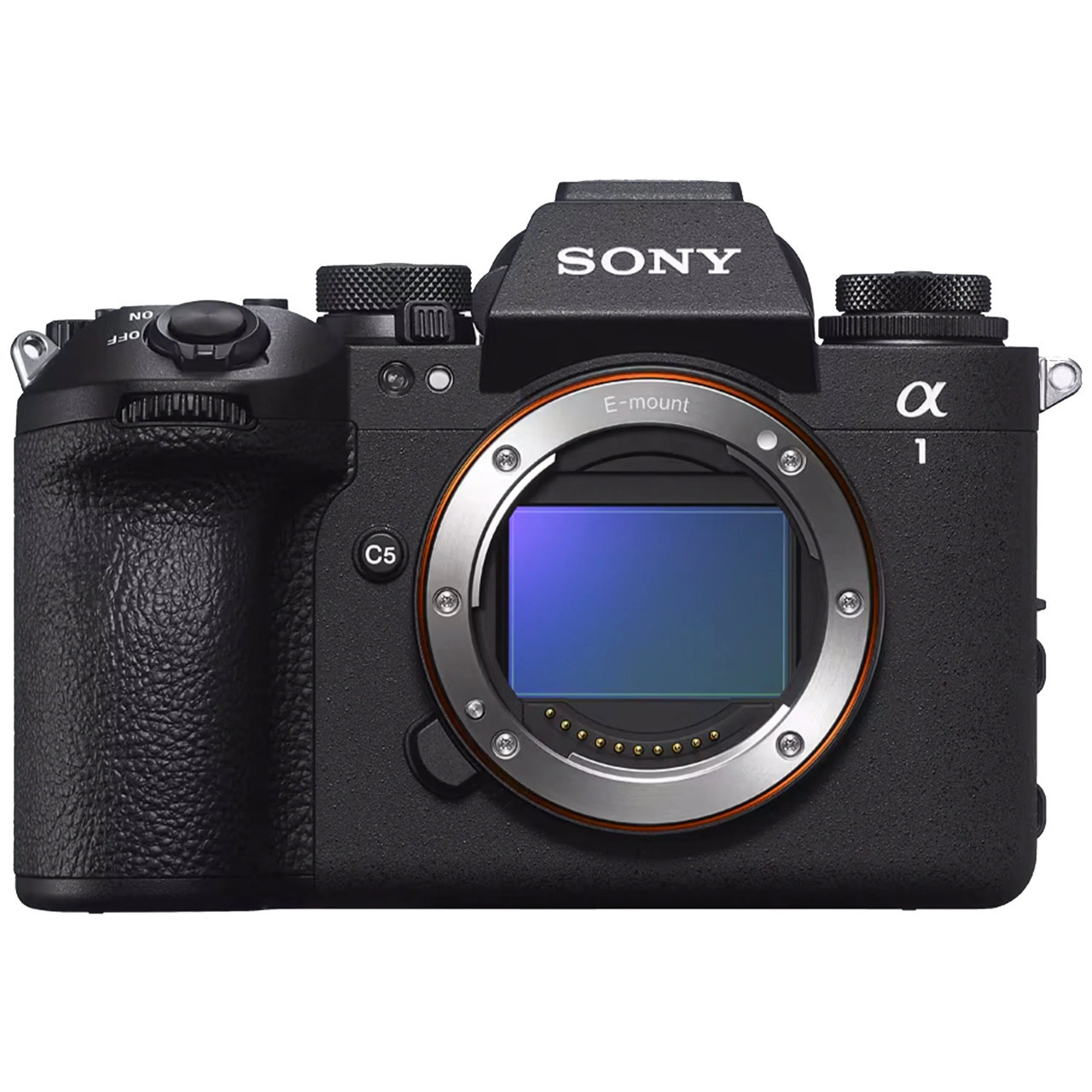
The Sony A1 II is our pick for the best 8K underwater video camera because it gives professional shooters flagship stills, 8K recording, 4K/120p, excellent autofocus, strong stabilization, and one of the most complete hybrid photo/video systems available.
Best for: Professional underwater shooters, Sony users, 8K video, high-resolution stills, fast pelagic action, macro video cropping, premium hybrid systems, and divers who want Sony’s flagship camera body.
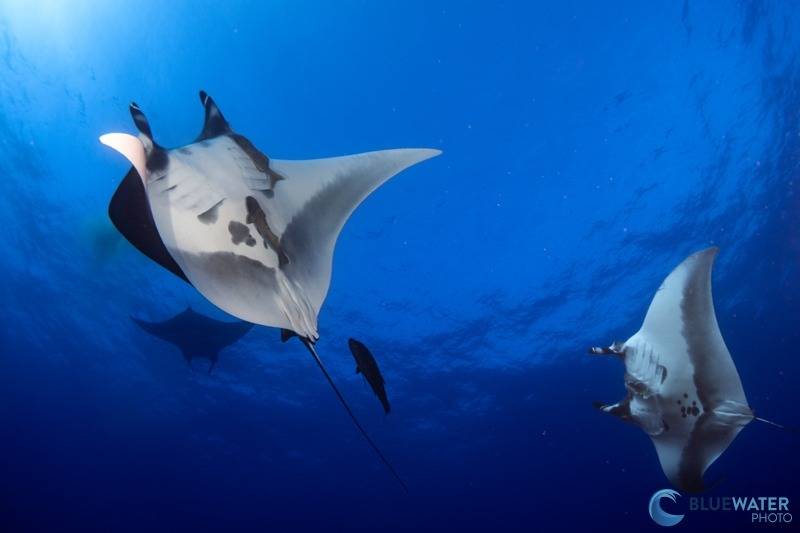
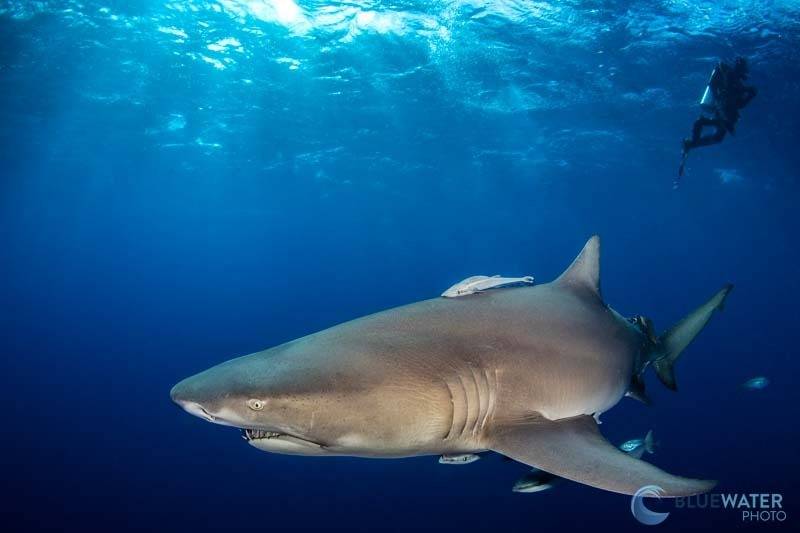
Why we like it underwater: We tested the Sony A1 II underwater in Socorro, Mexico, where the camera was used around fast-moving subjects like sharks, dolphins, and manta rays. That is a demanding test because pelagic action does not give you much time to react. The A1 II’s improved autofocus tracking was one of the biggest real-world upgrades, especially compared with the original Sony A1. The 50.1MP full-frame sensor gives the A1 II excellent still-photo resolution while still offering serious video tools. This is what makes it different from a video-only camera like the Sony FX3. The A1 II is for shooters who want high-end stills and high-end video in one body.
Video strengths: The main reason to choose the Sony A1 II for underwater video is its 8K/30p recording and 4K/120p capability. 8K is not something most divers need on every dive, but it is very useful when you want maximum detail or cropping flexibility. For macro video, 8K gives you room to crop into small subjects while still delivering a detailed final edit. For professional productions, it gives more room for reframing, stabilization, and high-resolution delivery. For everyday underwater video, 4K/120p may actually be more useful than 8K. Slow motion helps smooth out fast marine life, camera movement, surge, and sudden action. In the Bluewater review, the team frequently used 4K/120p in Socorro to slow down fast underwater encounters and create more stable-looking footage. The improved in-body image stabilization is another important underwater benefit. The A1 II offers up to 8.5 stops of correction, which helps with handheld shooting, macro video, and situations where the diver or subject is moving.
Underwater limitations: The Sony A1 II is expensive and more camera than many divers need. If your main goal is simple dive video, a GoPro HERO13 or OM System TG-7 is easier. If you only care about low-light 4K video, the Sony FX3 is the more focused choice. If you want a cinema-first RAW workflow, the Nikon ZR may make more sense. The A1 II also has battery-life considerations. Bluewater’s review notes that a typical day of shooting required battery changes after about two dives, even when shooting mostly photos. For serious underwater video, extra batteries or a charging/data cable should be part of the system plan.
Best housing path: Current Sony A1 II housing options include Ikelite, Marelux, and Nauticam. Bluewater tested the camera in the Ikelite housing in Socorro, which makes Ikelite a strong value path. Nauticam is the premium aluminum option and is especially attractive because its housing also supports the Sony A9 III. Marelux is another strong aluminum option for divers who want refined ergonomics and a serious Sony full-frame system.
Recommended setup: For wide-angle video, pair the A1 II with a Sony wide-angle zoom, fisheye option, or compatible wet-wide setup, matched with the correct dome or wet lens system. For macro video, the Sony 90mm macro or Sony 100mm macro are strong options, although lens behavior such as focus breathing matters for video. Add a stable tray and handles, float arms, and dual video lights for serious underwater video work.
Who should buy it: Choose the Sony A1 II if you want Sony’s flagship hybrid camera and need both high-resolution stills and advanced video features, including 8K and 4K/120p.
Who should skip it: Skip it if you do not need 8K, do not shoot high-resolution stills, want the best low-light video value, or are trying to keep your underwater video system simple and affordable.
Next step: Read our full Sony A1 II underwater review, compare compatible Sony A1 II housings, or contact Bluewater Photo for help building a professional 8K underwater video system.
Best Hybrid Camera for Underwater video
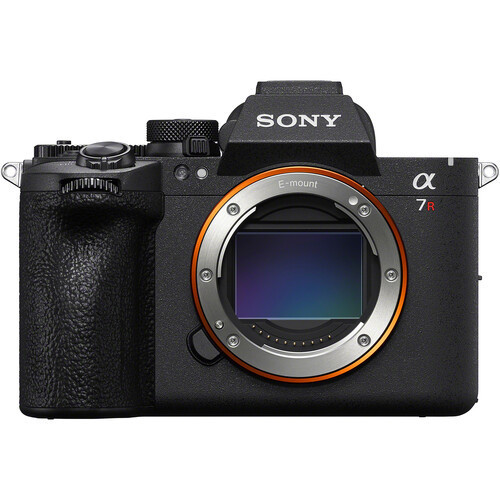
Sony A7R VI
The Sony A7R VI is our provisional pick for the best hybrid camera for underwater video because it combines very high-resolution still photography with serious video features, including 8K/30p and 4K/120p recording.
Best for: Hybrid underwater shooters, Sony users, high-resolution still photography, occasional 8K video, reef scenes, large animals, macro stills, travel shooters who want one camera for photo and video, and professionals who need flexibility from a single body.
Why we like it underwater: On paper, the A7R VI makes sense for underwater shooters who care about both stills and video. The 66.8MP full-frame stacked sensor gives serious resolution for still photography, cropping, and large prints, while the 8K/30p and 4K/120p video modes make it much more capable as a hybrid video body than earlier high-resolution cameras.
Video strengths: The biggest strength of the A7R VI is flexibility. For video, 8K can be useful when you want extra cropping room, detailed macro footage, or the ability to reframe in post. For most underwater video, 4K/60p or 4K/120p will likely be more practical because it keeps file sizes more manageable and gives you slow-motion options for surge, swimming divers, and fast marine life. The stacked sensor design should also help with readout speed compared with older high-resolution bodies, which is useful for autofocus, video handling, and fast-moving subjects. Sony’s AI-based autofocus system is another important advantage underwater, especially for fish, turtles, sharks, sea lions, and other subjects that do not move predictably.
Underwater limitations: The Sony A7R VI is not a low-light specialist like the Sony FX3. Its high-resolution sensor is excellent for detail, but very high megapixel cameras are not usually the cleanest option at high ISOs compared with lower-resolution full-frame video bodies. If your main priority is low-light 4K video, the FX3 is still the better choice. It is also not the simplest or most affordable underwater video setup. High-resolution stills, 8K video, and high-frame-rate 4K require fast cards, larger storage, a more capable editing computer, and a careful workflow. If you mainly want easy dive clips, a GoPro HERO13 or OM System TG-7 will be much easier. If you want a cinema-first workflow, the Nikon ZR may be a better fit.
Best housing path: Housing support will determine how strong the A7R VI becomes as an underwater system. Based on previous Sony A7R models, we expect serious housing options from the major underwater housing brands, but final recommendations should wait until confirmed compatibility, control layout, port charts, HDMI options, and accessory support are available. For most Sony full-frame underwater shooters, the key housing decision will come down to budget, ergonomics, lens support, monitor compatibility, vacuum system options, and whether you prefer a lighter travel housing or a more expandable aluminum system.
Recommended setup: For wide-angle hybrid shooting, pair the A7R VI with a Sony wide-angle zoom, fisheye-compatible option, or wet-wide setup, matched with the correct dome or wet lens system. For macro stills and video, the Sony 90mm macro remains one of the most important lenses in the E-mount underwater system.
For video, use a stable tray and handles, float arms, and dual video lights. For still photography, pair the system with strobes. Hybrid shooters should think carefully about whether they want a video-first lighting setup, a strobe-first photo setup, or a rig that can be adapted between dives.
Who should buy it: Choose the Sony A7R VI if you want one premium Sony full-frame body for high-resolution underwater stills and serious video. It is best for shooters who care about image detail, cropping flexibility, 8K options, strong autofocus, and a modern hybrid workflow.
Who should skip it: Skip it if your main priority is low-light video, a cinema workflow, simple travel clips, or the most budget-friendly system. The Sony FX3, Nikon ZR, GoPro HERO13, OM System TG-7, or Sony a6700 may be better depending on your needs.
Next step: Once Bluewater Photo completes underwater testing, we will update this recommendation with real-world housing notes, lens choices, sample footage impressions, battery findings, and underwater workflow advice. In the meantime, compare compatible Sony A7R VI housings, contact Bluewater Photo if you are considering building a Sony A7R VI underwater system and want help evaluating whether it makes sense for your style of diving..
Best APS-C Camera for Underwater Video
Sony A6700
The Sony a6700 is our pick for the best APS-C camera for underwater video because it gives divers advanced 4K video tools, excellent autofocus, strong stabilization, and a compact travel-friendly system at a more approachable price than full-frame cameras.
Best for: Serious travel shooters, APS-C users, divers upgrading from a compact or GoPro setup, hybrid photo/video creators, macro video, reef scenes, and anyone who wants strong underwater video without building a large full-frame rig.
Why we like it underwater: We tested the Sony a6700 in very challenging Pacific Northwest conditions, with dark green water, limited visibility, and low available light. Those conditions are useful for testing because they show how well a camera handles real underwater problems: poor contrast, moving subjects, camera shake, and difficult autofocus situations. The a6700 stood out because it brings many of Sony’s newer autofocus and video features into a small APS-C body. Its AI autofocus processor makes subject tracking much more reliable than older Sony APS-C cameras, and the camera did a strong job locking onto small underwater subjects during our testing. That is a big advantage for video, where refocusing manually on moving marine life is difficult inside a housing.
Video strengths: The a6700’s biggest strength is its video feature set for the size and price. It records 6K-oversampled 4K/60p with 10-bit 4:2:2 color, which gives detailed footage and more flexibility for editing and color correction. It also offers 4K/120p for slow motion, although that mode uses a 1.58x crop. For underwater video, 4K/60p is the most practical everyday mode because it gives smooth footage, good detail, and manageable files. The 4K/120p option is useful when filming fast marine life, divers in motion, surge, or action clips that look better slowed down. The in-body stabilization is another major benefit. Underwater, even small movements from breathing, finning, current, and hand positioning can show up in video. The a6700’s stabilization helps smooth handheld footage, especially when combined with a stable tray and handles.
Underwater limitations: The Sony a6700 is not a full-frame camera, so it will not match the low-light performance or depth-of-field control of cameras like the Sony FX3, Canon EOS R6 Mark III, or Sony A1 II. The 4K/120p crop is also worth considering because it changes your field of view, which matters underwater when wide-angle coverage is important. Battery life is another practical consideration. In Bluewater’s testing, the battery was down to 35% after two dives, so we recommend planning to change batteries after two dives, especially if you are shooting a lot of video.
Best housing path: The Sony a6700 has strong housing support from Ikelite, Marelux, and Nauticam. Ikelite is the best value path and includes practical features such as a vacuum valve and durable polycarbonate construction. Marelux is a strong aluminum option with good ergonomics and a compact travel-friendly design. Nauticam is the premium choice for divers who want refined controls, vacuum monitoring, and access to Nauticam’s port and accessory ecosystem.
Recommended setup: For wide-angle video, pair the a6700 with a smaller flexible setup, the Sony 16-50mm kit lens can be paired with wet wide-angle and wet macro options. For macro video, the Sony 90mm macro is the strongest choice, though it creates a larger setup than the compact kit lens path.
Who should buy it: Choose the Sony a6700 if you want a compact, powerful APS-C camera that is especially strong for underwater video, autofocus, travel, and hybrid shooting.
Who should skip it: Skip it if you want the best possible low-light video, a full-frame look, 8K recording, or a dedicated cinema workflow. In those cases, look at the Sony FX3, Canon EOS R6 Mark III, Nikon ZR, or Sony A1 II instead.
Next step: Read our full Sony a6700 underwater housing and review article, compare compatible housings, or contact Bluewater Photo for help building a compact APS-C underwater video system.

Best Beginner Mirrorless Camera for Underwater Video
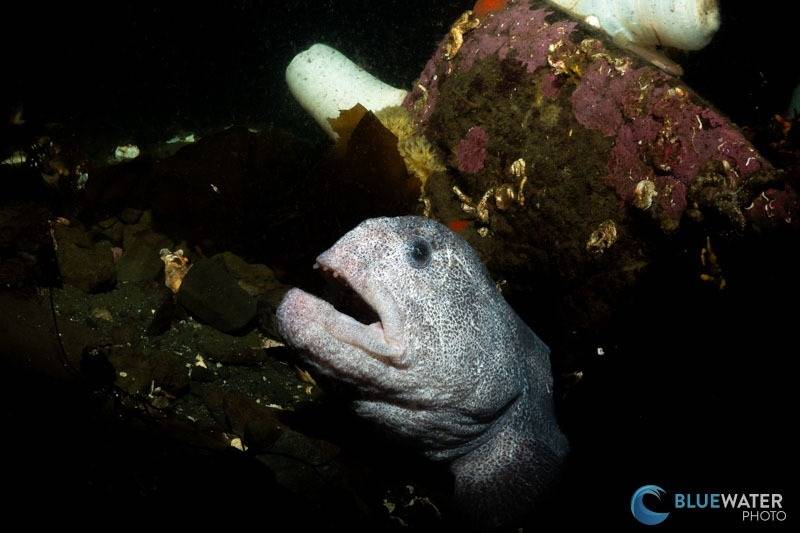
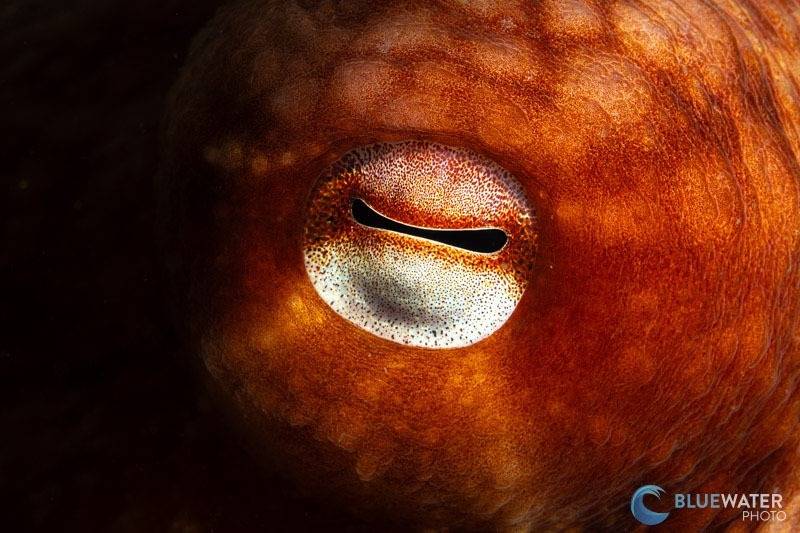
Canon EOS R10
The Canon EOS R10 is our pick for the best beginner mirrorless camera for underwater video because it gives new underwater shooters strong autofocus, good 4K video, interchangeable lenses, and excellent value in a compact APS-C system.
Best for: Beginner mirrorless shooters, divers upgrading from a GoPro or compact camera, Canon users, travel video, reef scenes, fish portraits, basic macro video, and anyone who wants more growth potential than an action camera without jumping into a full-frame system.
Why we like it underwater: We tested the Canon EOS R10 over several months in real dive conditions, including La Paz, Palm Beach, and the cold waters of the Pacific Northwest. That kind of testing matters because a beginner underwater video camera needs to be easy to handle, quick to focus, affordable enough to build into a full system, and capable of producing good footage without overwhelming the shooter. The R10 stands out because it brings Canon’s excellent Dual Pixel AF II autofocus into a small and affordable mirrorless body. Underwater, autofocus is one of the biggest reasons to move beyond a compact or action camera. Fish, turtles, sea lions, sharks, and other subjects rarely stay still, and the R10’s subject tracking makes it easier for newer shooters to keep moving subjects in focus.
Video strengths: The R10 can shoot 4K/60p, which is useful for smoother underwater footage and basic slow motion. It also offers oversampled 4K/30p from 6K, which is a strong everyday option when you want cleaner detail and more manageable files. For a beginner mirrorless camera, the image quality is very good. The 24.2MP APS-C sensor gives more detail and flexibility than a GoPro or TG-7, while keeping the system smaller and more affordable than full-frame cameras. The improved manual white balance is also useful underwater, especially when shooting ambient-light video in changing depth and water conditions.
Underwater limitations: The R10 is a value-focused camera, so it does have tradeoffs. The 4K/60p mode uses a crop, which matters underwater because wide-angle coverage is already difficult. It also does not have in-body image stabilization, so a stable tray, handles, good buoyancy, and careful technique are important for smooth video. The R10 also does not support Canon Log, which limits flexibility for heavier color grading compared with cameras like the Canon EOS R6 Mark III, Nikon ZR, Sony FX3, or Sony a6700. If video is your main priority and your budget allows, the Sony a6700 or Canon R7 will give you more advanced video tools.
Best housing path: The Canon EOS R10 works especially well as a value-focused underwater system. Ikelite is the main housing path we would highlight for this camera because it keeps the full system cost reasonable while still giving access to essential controls, ports, strobes, lights, and accessories. This is one of the reasons the R10 makes sense for beginners: the camera body is affordable, and the housing path lets divers build a capable mirrorless setup without immediately moving into a much more expensive full-frame rig.
Recommended setup: For wide-angle video, pair the R10 with a fisheye or wide-angle lens option, the correct dome port, a tray and handles, float arms, and at least one video light. For better color and stability, two video lights are ideal. For macro or close-up video, use a macro lens or compatible close-focus setup with a flat port and focus light. Because the R10 does not have IBIS, good hand positioning, neutral buoyancy, and a stable housing setup are especially important.
Who should buy it: Choose the Canon EOS R10 if you want an affordable first mirrorless underwater video system with strong autofocus, good image quality, and room to grow into better lenses, lighting, and accessories.
Who should skip it: Skip it if you want in-body stabilization, Canon Log, the best low-light performance, or a more advanced video workflow. In those cases, consider the Sony a6700, Canon EOS R6 Mark III, Sony FX3, or Nikon ZR.
Next step: Read our full Canon EOS R10 underwater review, compare compatible Canon R10 underwater housings, or contact Bluewater Photo for help building an affordable beginner mirrorless underwater video system.
Sample Underwater Photos
Best Compact Camera for Underwater Video
Olympus (OM System) TG-7
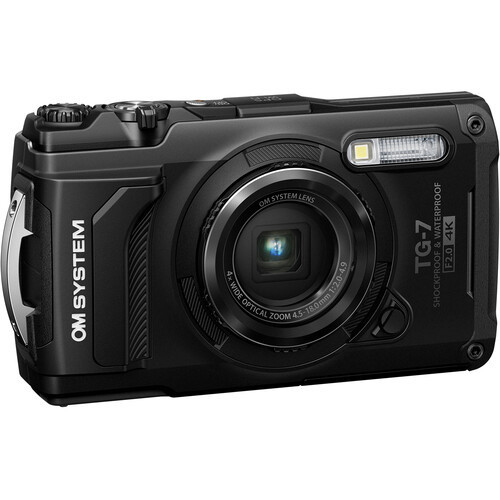
The Olympus (OM System) TG-7 is our pick for the best compact camera for underwater video because it is small, rugged, easy to travel with, waterproof before you even add a housing, and simple enough for beginners who want better results than a phone or action camera.
Best for: Beginner underwater video, snorkeling, travel clips, macro video, social media content, compact dive kits, and divers who want a simple camera that can shoot both photos and video without building a mirrorless system.
Why we like it underwater: We tested the OM System TG-7 at Sund Rock Marine Preserve in Hoodsport, Washington, using the camera with underwater accessories in real Pacific Northwest conditions. That is a useful test because compact cameras need to be easy to use in cold water, low light, and real dive conditions, not just in bright tropical water. The TG-7 is not a major upgrade over the TG-6, but it remains one of the easiest compact cameras to recommend for divers who want a simple underwater system. It is rugged, pocketable, waterproof to shallow depths without a housing, and compatible with existing TG-6 housings. Its strongest underwater feature is still close-up and macro shooting, especially microscope mode, which makes it very useful for small marine life.
Video strengths: The TG-7 can record 4K/30p video, but for most underwater shooters we would often recommend 1080/60p instead. The higher frame rate lets you slow footage down for smoother results, which helps with surge, hand movement, swimming subjects, and beginner handheld video. You give up some resolution compared with 4K, but the footage is often easier to stabilize and more pleasant to watch.
The TG-7 also adds vertical video, which makes it more useful for divers creating short-form content for Instagram, TikTok, YouTube Shorts, or quick travel clips. It is not a professional video tool, but it is convenient, compact, and easy to use.
Underwater limitations: The TG-7 is a good compact camera for underwater video, but it is not the best pure video camera. It has a small 1/2.33-inch sensor, basic autofocus, limited tracking, and much less video flexibility than cameras like the Sony a6700, Canon EOS R6 Mark III, Nikon ZR, or Sony FX3. Low-light performance is also limited compared with larger-sensor cameras. If video is your main priority and you want better image quality, stronger autofocus, 10-bit color, Log profiles, 4K/120p, or a more serious editing workflow, you should look at a mirrorless or cinema-style camera instead.
Best housing path: The TG-7 is especially practical because it can use many TG-6 housing paths, including the OM System PT-059 and other compatible housings. That makes it easier for existing TG-6 users to reuse parts of their system. A housing is still recommended for scuba diving because it gives better depth protection, control access, accessory mounting, and peace of mind.
Recommended setup: For simple video, use the TG-7 with a housing, tray and handles, and one compact video light. For better color and stability, add two lights and float arms. For macro video, use microscope mode, a focus light, and a stable tray setup. For wider scenes, consider compatible wet wide-angle accessories, but keep expectations realistic; this is still a small-sensor compact camera.
Who should buy it: Choose the OM System TG-7 if you want a small, rugged, beginner-friendly compact camera for casual underwater video, macro clips, snorkeling, travel, and social content.
Who should skip it: Skip it if video quality is your main priority, if you want cinematic footage, or if you plan to do serious color grading. A Sony a6700, Canon EOS R6 Mark III, Sony FX3, or Nikon ZR will be much stronger for dedicated underwater video.
Next step: Read our full OM System TG-7 underwater review, compare compatible TG-7 housings and accessories, or contact Bluewater Photo for help building a simple compact underwater video setup.
Best Action Camera for Underwater Video
GoPro Hero 13
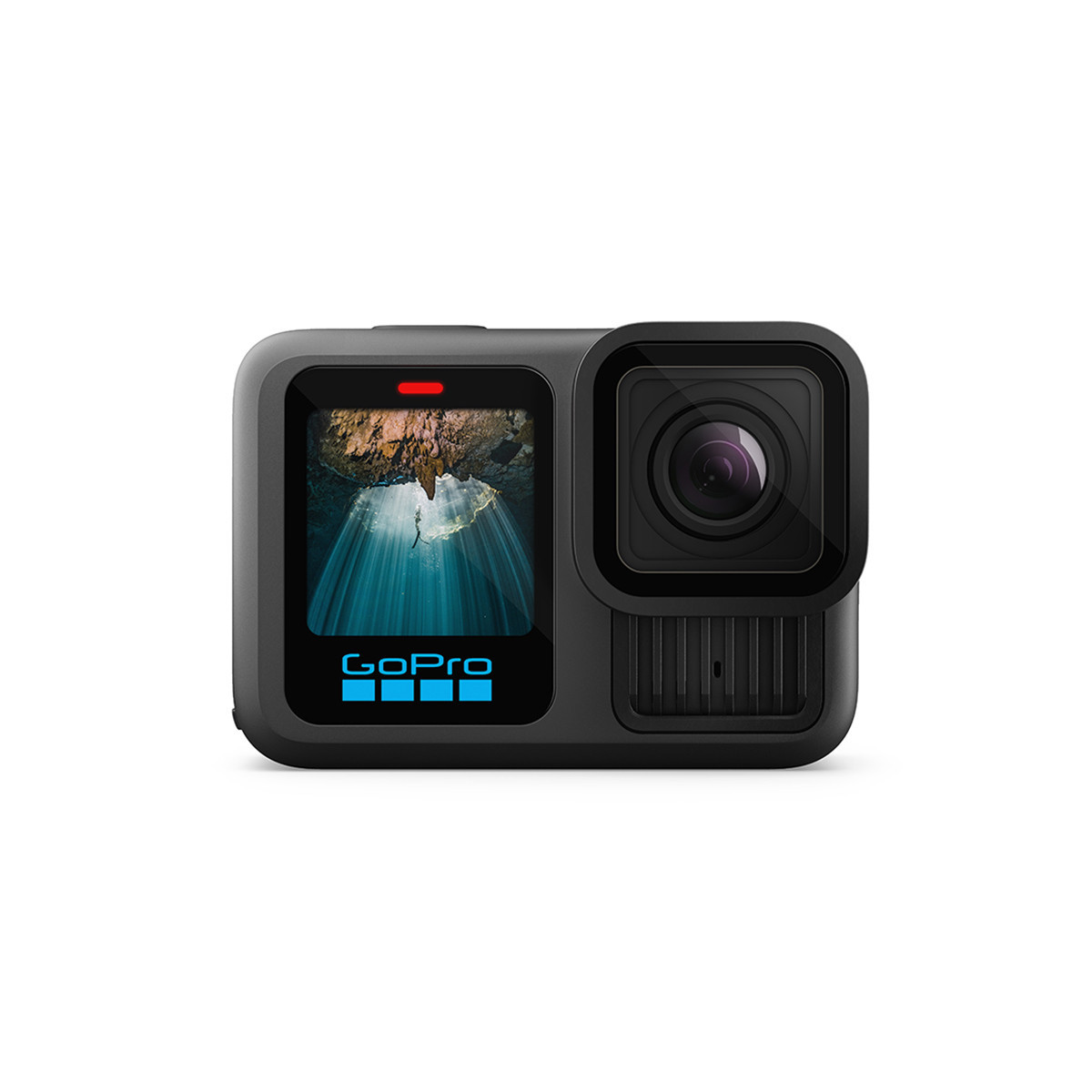
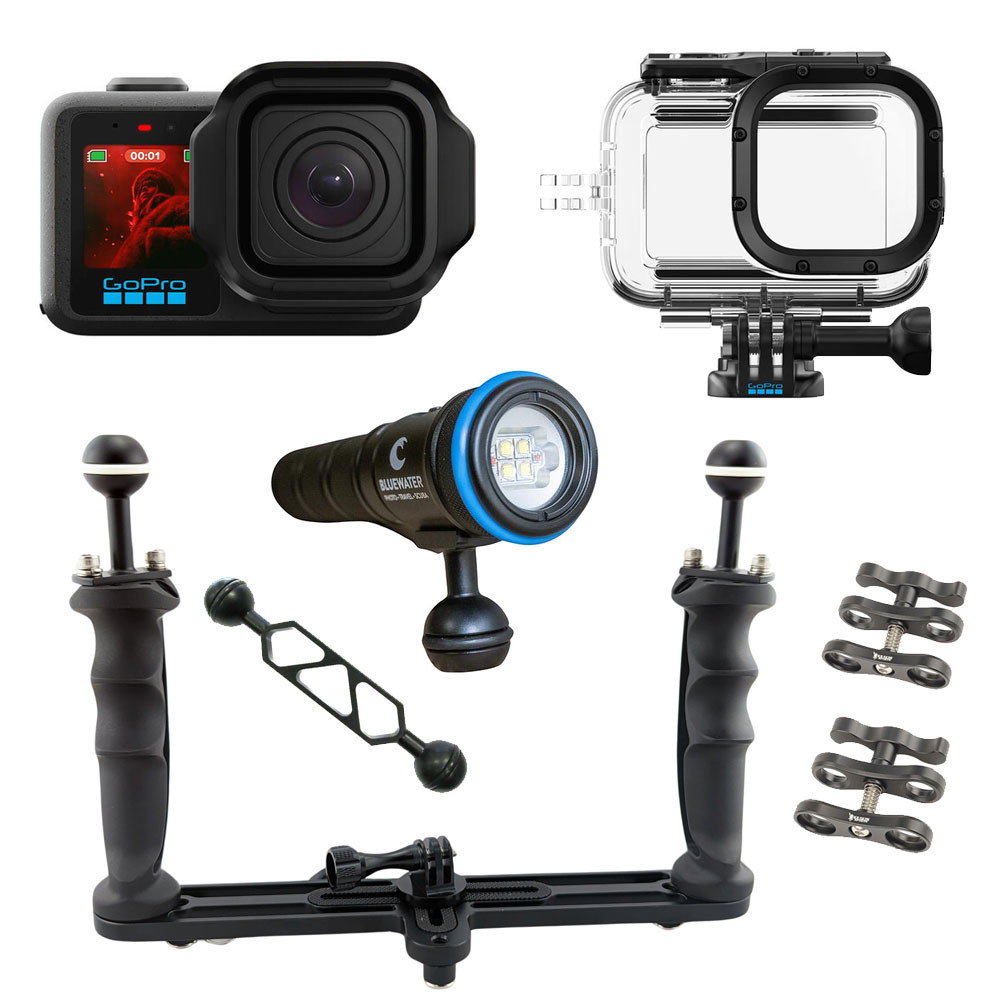
The GoPro HERO13 Black is our pick for the best action camera for underwater video because it is small, easy to use, highly stabilized, travel-friendly, and capable of producing excellent wide-angle dive footage with a very simple setup.
Best for: Snorkeling, scuba diving, freediving, travel video, wide-angle reef footage, shark dives, casual dive clips, social media, and divers who want the smallest practical underwater video system.
Why we like it underwater: We tested the GoPro HERO13 in Fiji during a Bluewater photography and GoPro workshop, filming sharks in Beqa Lagoon and colorful reef scenes in the Vatu-i-Ra conservation area. That kind of testing is exactly where a GoPro makes sense: fast-moving subjects, wide scenes, travel conditions, and dives where you want to capture video without managing a large mirrorless rig. The HERO13 is not a huge upgrade over the HERO12, but it keeps the same core strengths that make GoPros so useful underwater: small size, strong stabilization, simple operation, and very good video quality for the price. It can also be used down to shallow depths without a housing, but for scuba diving we strongly recommend a proper GoPro dive housing.
Video strengths: The HERO13 records 5.3K up to 60p and 4K up to 120p. For most divers, 4K/60p or 1080/60p is already enough, but 5.3K gives extra room to crop, reframe, or stabilize footage after the dive. The 4K/120p mode is especially useful for slow motion, which helps smooth out surge, fin movement, fast marine life, and handheld shooting. HyperSmooth 6.0 stabilization remains one of the biggest reasons to choose a GoPro. Underwater, even small movements can ruin a clip. Good stabilization makes casual handheld footage look much smoother, especially when shooting wide-angle reef scenes, sharks, divers, or travel footage. The HERO13 also adds useful tools for more advanced shooters, including 10-bit G-Log and HLG HDR. These are helpful if you want more flexibility when editing underwater footage, especially since color and contrast drop quickly with depth.
Underwater limitations: A GoPro is not the best choice for serious macro, low-light video, shallow depth-of-field footage, or professional color grading. It also cannot match the image quality, lens flexibility, autofocus control, or low-light performance of cameras like the Canon EOS R6 Mark III, Sony a6700, Sony FX3, Nikon ZR, or Sony A1 II. Battery life is also something to plan around. The HERO13 uses a larger 1900 mAh Enduro battery, but in real dive use we still recommend carrying spare batteries and planning to change them every one to two dives.
Best housing path: The HERO13 is waterproof to shallow depths without a housing, but scuba divers should use a dedicated dive housing. The standard GoPro housing is affordable and rated for recreational scuba depths, while aluminum options such as Isotta and Recsea offer much deeper ratings, stronger protection, and a more durable long-term setup.
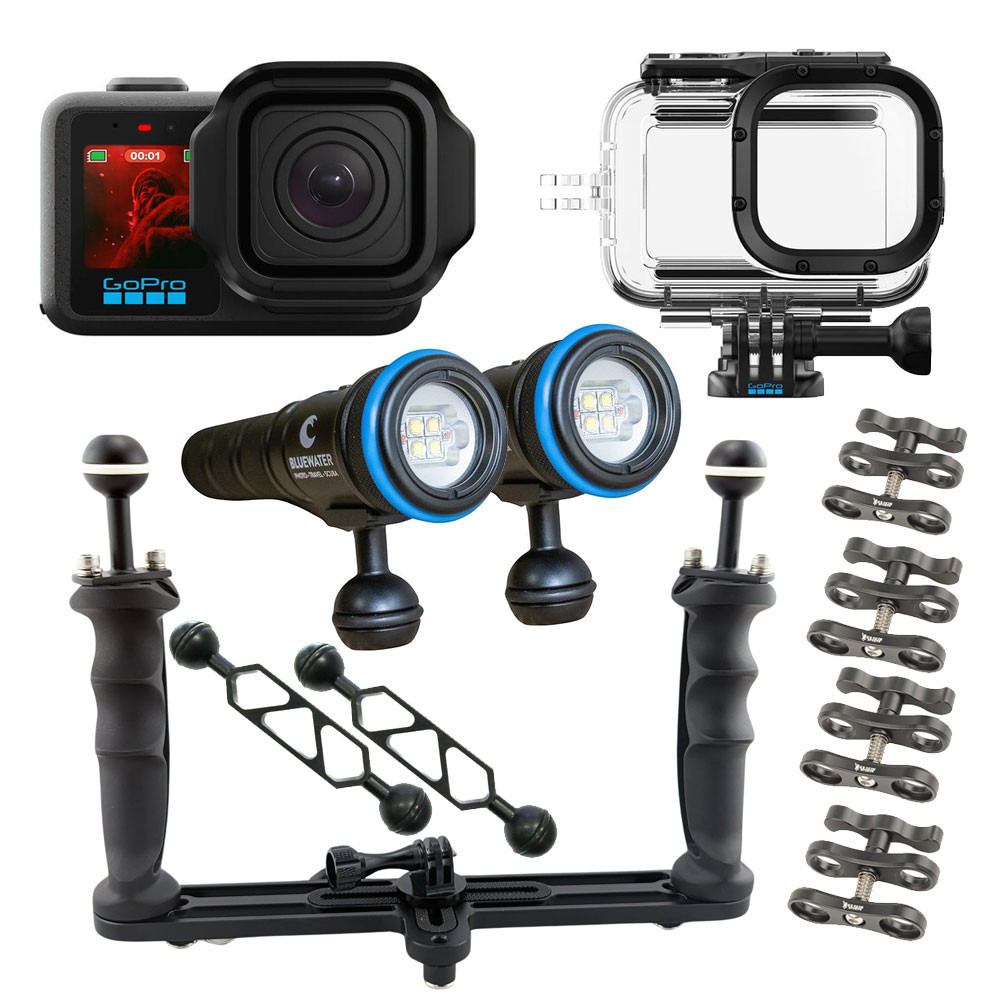
Recommended setup: For the simplest setup, use the HERO13 with a dive housing and a tray. For smoother footage, add handles. For better color, add one or two video lights. For close-up subjects, use a GoPro-compatible macro lens. For close-focus wide-angle footage, consider an Inon wide-angle lens and the correct GoPro lens mount.
Who should buy it: Choose the GoPro HERO13 if you want a small, simple, reliable action camera for underwater video, travel, snorkeling, scuba diving, and social media clips.
Who should skip it: Skip it if you want the best low-light quality, serious macro video, interchangeable lenses, cinema controls, or a professional full-frame look.
Next step: Read our full GoPro HERO13 underwater review, compare compatible GoPro housings and accessories, or contact Bluewater Photo for help building the right GoPro underwater video setup.
Best Pro Action Camera for Underwater Video
GoPro Mission 1 Pro
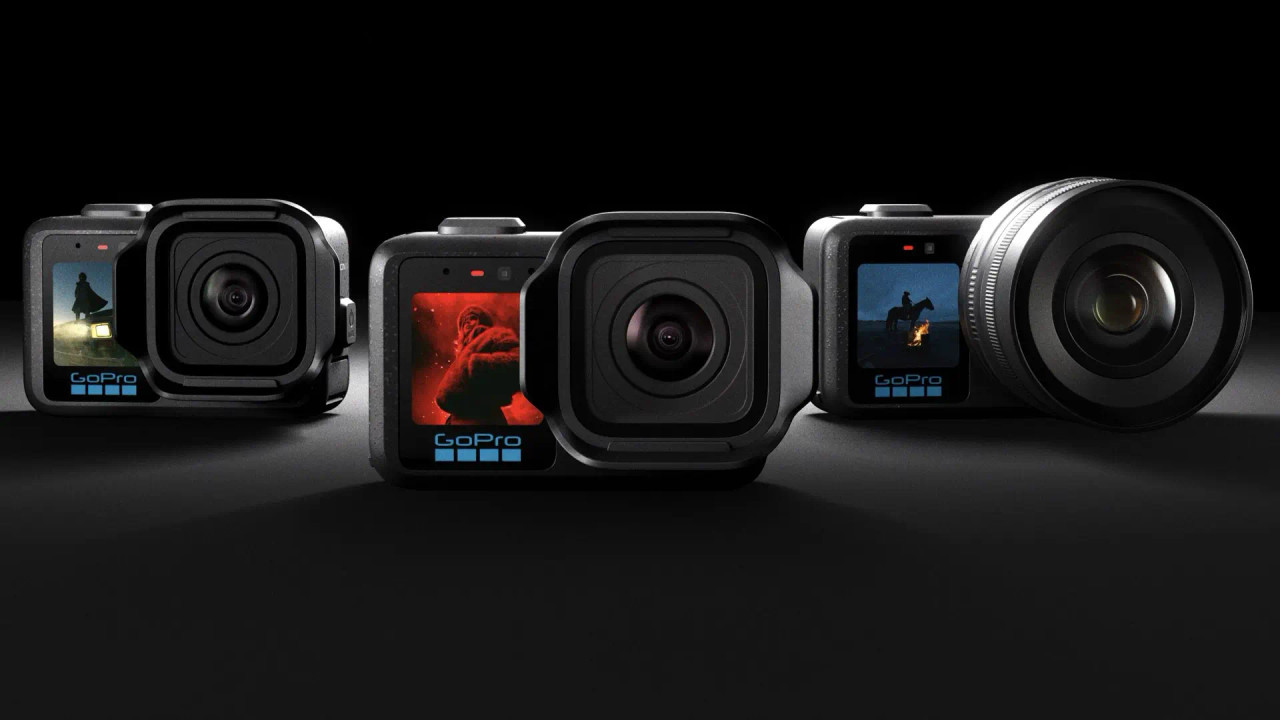
The GoPro Mission 1 Pro is our pick for the best pro action camera for underwater video. Its 1-inch sensor, 8K/60p recording, high-frame-rate 4K, GP-Log2 profile, and excellent stabilization make it a significant step up from a traditional GoPro HERO camera for serious underwater shooters.
Best for: Advanced GoPro users, sharks, sea lions, bait balls, freediving, fast marine life, travel creators, and shooters who want more video flexibility without moving to a mirrorless system.
Why we like it underwater: We tested the Mission 1 Pro extensively while diving at Catalina Island, filming fish, giant black sea bass, kelp forests, and low-light scenes. The biggest improvement we noticed over HERO cameras was cleaner low-light footage, while GP-Log2 gave us considerably more flexibility when correcting underwater color in post. For most dives, we found 4K/60p to be the best balance of image quality, slow-motion flexibility, and manageable file sizes.
Video strengths: The larger 1-inch sensor, 8K recording, and high-frame-rate modes make the Mission 1 Pro particularly useful for fast-moving subjects. 8K gives you extra room to crop and reframe, while slow-motion modes work well for sharks, sea lions, schooling fish, freediving, and other action-heavy scenes.
The main limitation: During our underwater testing, the 24-inch minimum focusing distance was the biggest drawback. Subjects that came too close became noticeably soft, making the Mission 1 Pro less suitable for close-focus shooting than the HERO13. For larger animals and general wide-angle scenes, however, this is much less of an issue.
Best housing path: For scuba diving, we recommend the dedicated GoPro Mission 1 protective housing, which increases the depth rating to 196 ft / 60 m. We found its controls easy to operate underwater, and it supports both horizontal and vertical mounting.
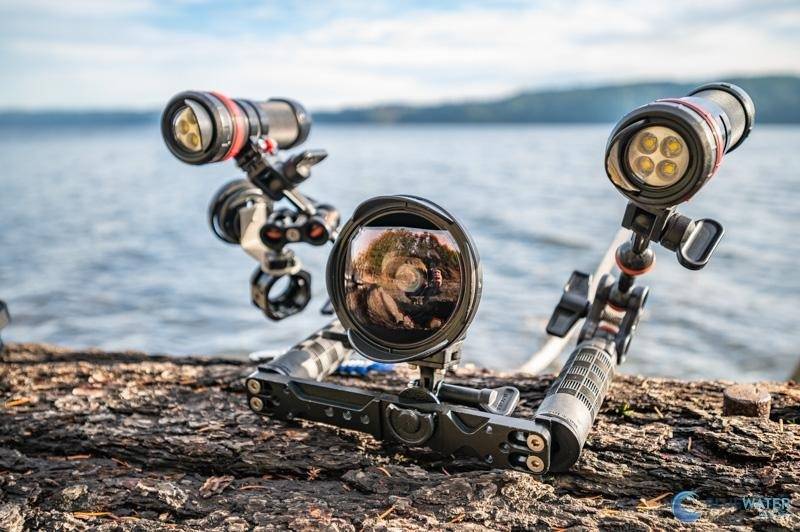
Recommended setup: Pair the Mission 1 Pro with the protective housing, tray, and handles for a more stable platform. Add one or two video lights for better color at depth.
Who should buy it: Choose the Mission 1 Pro if you want a premium action camera with better low-light performance, 8K, high frame rates, Log recording, and more post-production flexibility than a HERO13.
Who should skip it: Choose the HERO13 instead if you prioritize smaller size, simpler operation, lower cost, close focusing, and smaller files.
Our verdict: After testing the Mission 1 Pro underwater at Catalina, we think it is an excellent choice for big animals, action, wide-angle scenes, and serious video shooters. Its low-light performance and editing flexibility are genuine improvements, although the 24-inch minimum focus distance is an important limitation to consider.
Read our full GoPro Mission 1 Pro Underwater Review for detailed underwater testing, sample footage, settings, and housing impressions.
Frequently Asked Questions About Underwater Video Cameras
These are the questions divers usually ask when they are trying to choose a real underwater video setup, not just compare camera specs. The right answer depends on how you dive, what you film, how much gear you want to travel with, and whether you want simple clips, social video, professional footage, or a full cinema workflow.
What is the best underwater video camera overall?
For most serious underwater video shooters, we would start with the Canon EOS R6 Mark III. It gives you the best overall balance of full-frame image quality, strong autofocus, in-body stabilization, 4K/120p, 7K/60p RAW options, improved custom white balance, and practical housing support. It is not the cheapest camera on this list, and it is not a dedicated cinema body, but it is one of the most well-rounded choices for divers who want high-quality underwater video without building an overly complicated rig.
What is the best underwater video camera for beginners?
If you are new to underwater video, we would keep the setup simple. For the easiest option, start with a GoPro HERO13 Black. It is small, stabilized, travel-friendly, and great for wide-angle dive footage. If you want a camera that is still beginner-friendly but gives you more photo and macro flexibility, the OM System TG-7 is a better compact choice. If you are ready for an interchangeable-lens system, the Canon EOS R10 is our beginner mirrorless pick because it offers strong autofocus, good image quality for the price, and room to grow into better lenses, housings, and lighting.
Is a GoPro good enough for underwater video?
Yes, a GoPro is good enough for many divers, especially if you want simple wide-angle video of reefs, sharks, buddies, wrecks, snorkeling, freediving, or travel. The GoPro HERO13 Black is small, easy to stabilize, and much easier to travel with than a mirrorless system. The limitation is that it is not the best tool for serious macro, shallow depth-of-field footage, low-light scenes, or professional color grading. For best results underwater, use a proper dive housing when scuba diving, add a tray and handles for stability, and consider video lights if you want better color at depth.
What is the best underwater camera for low light video?
The Sony FX3 is our low-light pick for underwater video. Its lower-resolution full-frame sensor gives each photosite more room to gather light compared with very high-resolution sensors, which helps produce cleaner footage at higher ISOs. That matters underwater because light drops quickly with depth, visibility can be poor, and many dives happen in darker conditions such as green water, caves, wrecks, twilight, or deeper reef walls. The FX3 is not the best choice if you need high-resolution still photos, but for clean low-light video, 4K/120p, and a compact cinema-style workflow, it is a very strong option.
Is 8K useful underwater?
8K can be useful underwater, but most divers do not need to shoot everything in 8K. The biggest benefit is cropping flexibility. If you are filming small macro subjects, want to reframe in post, or need maximum detail for professional production, a camera like the Sony A1 II makes sense. For most reef, diver, shark, travel, and social video, high-quality 4K is easier to manage and usually the better everyday choice. 8K files are larger, require faster cards, use more storage, and create a heavier editing workflow.
Do I need 4K/120p for underwater video?
You do not need 4K/120p, but it is very useful. Underwater footage often looks better when slowed down because it smooths out fin movement, surge, camera shake, and fast-moving subjects. For most divers, 4K/60p is already a very practical standard because it gives you room to slow footage down while keeping good detail. 4K/120p is better for dramatic slow motion, fast marine life, action scenes, and more polished edits. Cameras like the Canon EOS R6 Mark III, Sony FX3, and Sony a6700 are strong options if higher frame rates matter to you.
Is a cinema camera better than a mirrorless camera underwater?
A cinema camera is better only if you actually need a cinema workflow. The Nikon ZR is a great example: it offers serious video tools like internal RAW, N-Log, strong dynamic range, dual-native ISO, and a workflow aimed at filmmakers. But that does not automatically make it the right camera for every diver. A mirrorless hybrid like the Canon EOS R6 Mark III or Sony a6700 may be easier, smaller, more flexible for stills, and more practical for travel. Choose a cinema camera if video is your main priority and you are comfortable with larger files, color grading, and a more involved setup.
What is the best underwater video camera for scuba diving?
For scuba diving, the best underwater video camera depends on how serious you want the system to be. For simple dive footage, choose the GoPro HERO13 Black. For a compact travel setup, choose the OM System TG-7. For a beginner mirrorless rig, choose the Canon EOS R10. For a strong APS-C video system, choose the Sony a6700. For the best all-around full-frame underwater video setup, choose the Canon EOS R6 Mark III. For cinema work, choose the Nikon ZR or Sony FX3 depending on your workflow and low-light priorities.
Do I need video lights underwater?
If you want colorful underwater video, yes, video lights are usually one of the most important upgrades. Water absorbs red, orange, and yellow light quickly, so footage gets blue or green as you go deeper. A good video light brings color and contrast back into nearby subjects. You can shoot ambient-light footage in shallow, bright conditions, but once you are deeper, inside a wreck, under ledges, shooting macro, or filming in darker water, video lights make a major difference. For many divers, lighting improves footage more than upgrading the camera body.
Should I use a red filter or video light?
Use a red filter when you are shooting wide-angle ambient-light video in relatively shallow, bright water and you want a simple setup. Use video lights when you are closer to your subject, shooting macro, filming under ledges, diving deeper, or working in darker conditions. A red filter does not add light; it only changes the color balance of the light that is already there. Video lights actually restore color and contrast. If you are serious about underwater video, lights are the better long-term investment, especially for close subjects and repeatable results.
What camera is best for underwater YouTube or social video?
For YouTube, Instagram, TikTok, and travel content, the best camera depends on how much production work you want to do. A GoPro HERO13 Black is the easiest choice for quick, stabilized dive clips. The OM System TG-7 is better if you want a compact camera that can also shoot macro and still photos. The Sony a6700 is a strong step-up option for creators who want better image quality, interchangeable lenses, 4K/120p, and a manageable travel rig. If you want a more professional full-frame look, the Canon EOS R6 Mark III is the stronger long-term choice.
What matters more: camera, housing, stabilization, or lighting?
Underwater, the complete system matters more than the camera body alone. The camera controls image quality, autofocus, frame rates, and codecs. The housing determines whether you can actually use those controls comfortably underwater. Stabilization helps smooth footage in surge and while swimming. Lighting restores color, contrast, and detail. If we had to prioritize for most divers, we would say: choose a camera that fits your skill level, put it in a reliable housing, add a stable tray and handles, then invest in good video lights. That combination usually beats buying a better camera and using it poorly underwater.
Why Trust Bluewater Photo?
Bluewater Photo, recognized as the #1 online retailer specializing in underwater photography and scuba diving equipment, with real-world experience supporting, selling, and configuring underwater camera systems. Our team includes professional underwater photographers and videographers with over 15 years of experience testing and photographing underwater to ensure you get thorough first hand experience and trusted reviews.
Expertise in Underwater Photography: Run by passionate divers and photographers who truly understand the gear and how it performs in real-world conditions.
Competitive Pricing: Offers competitive prices with added value like expert advice and top-tier customer support. We will match and beat any price!
Established Reputation: Trusted by thousands of divers, photographers, and professionals worldwide.
Exceptional Customer Support: Personalized service from knowledgeable staff who care about getting you the right gear.
Transparent and Honest Advice: Recommendations are based on what’s best for your needs—not just what’s in stock.


Anthony Grote
Anthony Grote is a South African-based professional photographer, widely recognized for his work in underwater, wildlife, adventure sports, and hospitality photography. His passion for the craft began in the early 1990s during his studies, where he initially focused on bird photography.
As his interest expanded into underwater photography, Anthony moved to the Cayman Islands, where he spent two years working as an underwater photo pro. He later returned to South Africa to establish his own photography business, specializing primarily in adventure sports and the hospitality industry.
Over the years, Anthony has received numerous accolades for his underwater and wildlife imagery. His work has also included contributions to the National Geographic production The Real Serengeti, filmed in the iconic Serengeti wilderness.
Today, Anthony continues to travel the globe, diving and documenting nature whenever possible. He currently serves as the Website Manager for Bluewater Photo, while still pursuing adventure sports photography in his spare time.