GoPro Mission 1 Pro Underwater Review
Posted by Nirupam Nigam on August 6th, 2026
GoPro is back! After years of relatively stagnant releases, GoPro has a new "cinema" series of action cameras - the Mission 1, Mission 1 Pro, and the Mission 1 ILS. The Mission series represents a complete redesign of GoPro’s action camera platform. It has a new 50 megapixel 1 inch sensor, a new GP3 processor, 8K/60p recording, higher frame rates up to 4K/240p and a claimed 14 stops of dynamic range. GoPro has also expanded the lineup with the Mission 1 ILS, which uses the same platform but adds an interchangeable Micro Four Thirds lens mount.
But there is one signicant issue for underwater shooters. The minimum focusing distance on the mission 1 series is now 24 inches, which is much farther than what most people are used to with a HERO. That could be a non starter for close focus wide angle, smaller subjects and even some selfie style underwater shooting.
The Mission 1 series also comes at a premium. The Mission 1 Pro costs $699, while the standard Mission 1 is $599. So the real question is whether the better low-light performance and more professional video features are worth the price, or if the “compact cinema camera” label is good marketing.
Fortunately, this summer I had the opportunity to meet up with GoPro in Huntington Beach to pick up and review a camera during my Catalina Island underwater photoworkshop with Diving Catalina. While I only had a short time to review the Mission 1 Pro, I managed to dive with it extensively at the Casino Point dive packed with numerous garibaldi, calico bass, and the coveted giant black sea bass. We put the camera through its paces and tested its lowlight capability, minimum focusing distance, Log profiles, and everything in between.
This underwater review focuses on the two fixed-lens models, the Mission 1 and Mission 1 Pro, since GoPro’s current underwater housing is not compatible with the Mission 1 ILS.

Support our content and get your GoPro Mission camera and underwater accessories at Bluewater Photo!
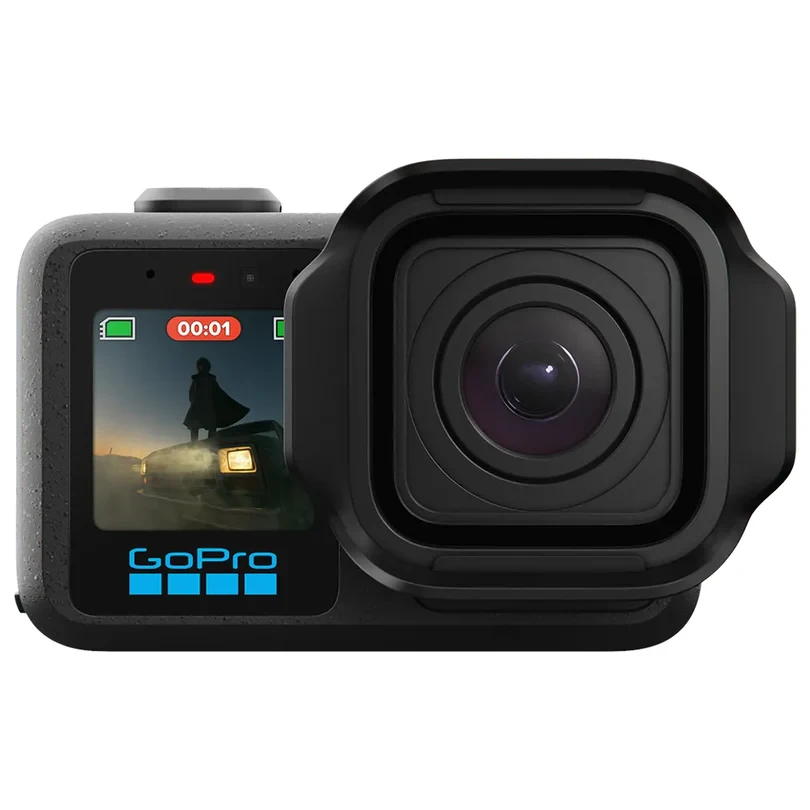


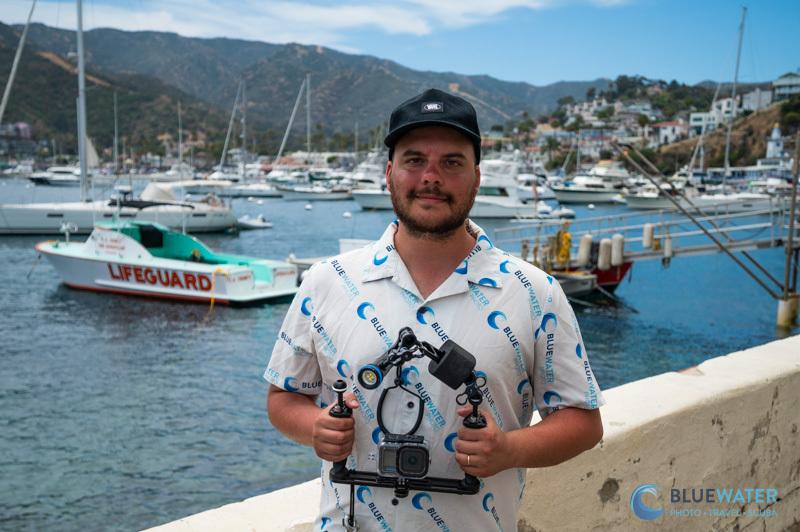
Bluewater's Nirupam Nigam with the GoPro Mission 1 on Catalina
GoPro Mission 1 Key Specifications
The GoPro Mission 1 is the most basic in the cinema series. We recommend the GoPro Mission 1 Pro for most underwater shooters as it offers higher frame rates for quick action like sardine runs.
- New 50 megapixel 1 inch sensor
- GP3 processor
- Up to 14 stops of dynamic range
- 8K video up to 30fps
- 4K (open gate) video recording up to 120 fps
- 50 megapixel RAW and Jpeg images
- HLG HDR and GoPro Log picture profiles
- Max bitrate of 240 Mbps
- Hypersmooth stabilization with 360 degree horizon lock
- Standard 14mm fixed lens
- 24 inch minimum focusing distance
- 2.59 inch rear OLED touchscreen
- 1.4 inch front LCD screen
- Waterproof to 66ft without housing
- Housing waterproof to 196 ft
- 2150mAh Enduro 2 battery
- Up to 5 hours of recording at 1080p/30 and over 3 hours at 4K/30
- Weight: 207 grams
- Dimensions: 80.1 x 52.1 x 44.3 mm
- Price: $599.99
GoPro Mission 1 Pro Additional Specifications
The GoPro Mission 1 Pro is essentially the same camera as the Mission 1 with slightly better recording capability.
- 8K video up to 60 fps
- 4K video up to 120 fps
- 8K open gate recording up to 30 fps
- Price: $699.99
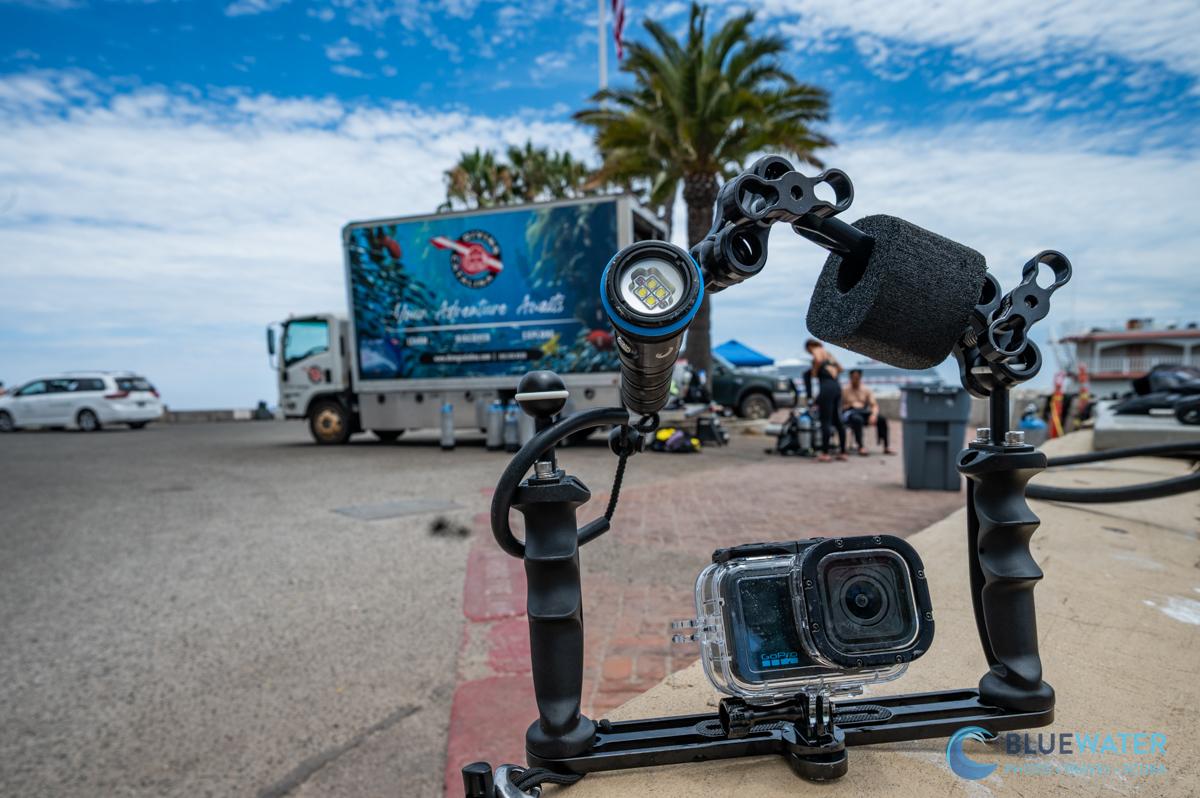
GoPro Mission 1 Pro Bluewater Package in the Field
Key Features
A New Low-Light Capable 1-Inch Sensor
The GoPro Mission platform features a new 1-inch sensor, which addresses many of the complaints that video shooters have had about the GoPro Hero platform. As resolution improved in previous GoPro models, the cameras ran into limitations with the small 1/2.3-inch and 1/1.9-inch sensors. More pixels meant smaller pixels that resulted in higher noise levels when shooting in low light conditions. The standout feature for underwater shooters in the Mission series is that the cameras are much more capable in low light. During our night dive and deep dive tests, we found noise to be significantly reduced.
GoPro claims that dynamic range on the Mission 1 has increased to 14 stops from 13 stops in the GoPro Hero 13. While this is an improvement, it's not one that we really noticed when filming strong sunlight in shallow kelp forests. Theoretically, there should be more details from your highlights to your shadows with the Mission 1 footage. Certainly it was easier to edit and recover details in post. However, I didn't notice a huge difference from the Hero series when shooting into the sun and true cinematographers will need to look at larger sensored underwater video cameras if they want to film well-defined sunballs.
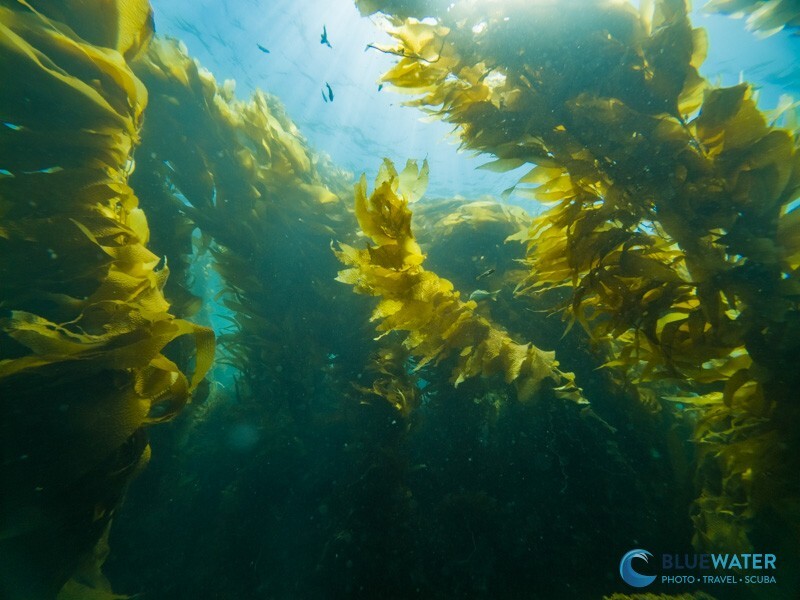
The Mission 1 Pro performed well in the challenging lighting conditions of Catalina's kelp forests, where bright surface light contrasts with the darker water and kelp.
Higher Frame Rates and Resolution
Because the larger 1-inch sensor also has a higher resolution of 50 megapixels, the GoPro Mission 1 and Mission 1 Pro are GoPro's first cameras capable of 8K video. Out of the box, 8K video is not useful unless you intend to view it on a rare 8K screen. However, it can be an excellent tool for videographers who want to crop their video. Underwater, this is great for macro shooters and for turning a single clip into multiple clips of "B-roll". In order to do this, you need to export your video at a lower resolution than the resolution at which you shoot. For instance, if your final intentions is an HD video, you can crop up to 4x.
Higher frame rates, such as 4K video filmed at 240 frames per second on the Mission 1 Pro, help slow down action so that it is easy to see while also significantly improving your video stabalization. GoPro's hypersmooth stabilization is excellent and it already feels like the camera is mounted on a gyroscope. However, because most GoPro underwater video is handheld, it can be shaky in a three-dimensional aquatic environment. Slowing down your video makes these movements less jerky. The process is the same as with high resolution footage. If you plan to export your video in 24 or 30 frames per second (the standard frame rates for YouTube), then you can slow down 240 fps video by up to 8 times! Of course, at that point the video might look "slow motion". Personally, my favorite frame rate and resolution is still 4K/60p which you can slow down to half speed.
GoPro Log Picture Profiles for a "Cinema Style" Editing Workflow
Although GoPro includes Log picture profiles with the GoPro Hero 13, it has updated the Mission 1 with a new GP-LOG2 profile. It's designed to capture more data from your highlights and shadows to take advantage of the camera's larger sensor and greater dynamic range. Log profiles look flat, but when you add some contrast, saturation, and work with your color wheels and tone curves in post-production, you are able to recover even more details from your footage. I found GoPro Log footage to be a lot easier to work with and more malleable than a more professional profile like Sony's S-Log3. But that just might mean it's not quite as compressed. Overall, it's great to have if you are a cinema shooter and it certainly makes adjusting white balance from underwater footage a lot easier.
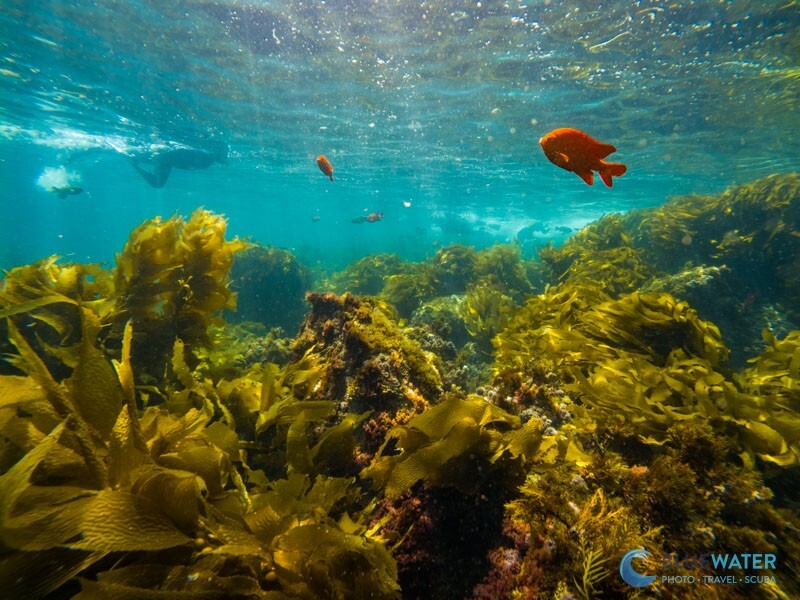
GP-Log2 provides additional flexibility when editing scenes like this, making it easier to adjust contrast, saturation, and white balance during post-production.
A New Form Factor and Battery Life
To accommodate a larger sensor, the GoPro Mission 1 and Mission 1 Pro have a larger form factor and heavier than previous Hero cameras. The Mission 1 is about 30% heavier and has 40% more volume than the GoPro Hero 13. That said, it's still small and not unreasonable for an action camera. I didn't find it to be any more difficult to use underwater. When you combine the housing with a tray, arms, clamps, lights, and other accessories, it feels no different than the other Hero cameras. The Mission 1 and Mission 1 Pro use the same easy two-button system to turn the camera on, flip through settings, and start filming.
Despite the new form factor, the Mission 1 uses the same Enduro 2 battery as the GoPro Hero 13, but one with 13% more capacity. Despite only having a modest increase in capacity, the GoPro Mission 1 can film about twice as long as the GoPro 13. I did find this to be the case. I would recommend replacing the battery after every two dives, but you might be able to stretch it to three or four, depending on how many dives you are filming. GoPro claims a 1.5 hour battery life at 4K/30p, but very few people will shoot at this frame rate and resolution underwater, so the true battery life will be reduced.
Auto White Balance - Good, But Not Great
With a new camera platform, I was very much hoping that the auto white balance would be improved over the GoPro Hero 13, but I found that it was not. It's about the same. Auto white balance on all modern GoPros is great, and in most cases, you don't need red filters. However, I found the auto white balance to be a bit green when I reached depths greater than 40 ft. I was especially disappointed because the Mission 1 Pro includes a new feature that tunes the camera specifically for underwater video.
That said, the GP-Log2 profile makes it really easy to adjust your white balance. Even when I was shooting with the Normal picture profile, I was able to remove the green from my footage easily.
In my testing, I stopped using GoPro Color for my picture profile. It's just a bit too "poppy" and bright. I liked the Natural profile if I wasn't filming in GP-Log2. But most of my footage was shot in GP-Log2, which I found to be easily workable in post-production.
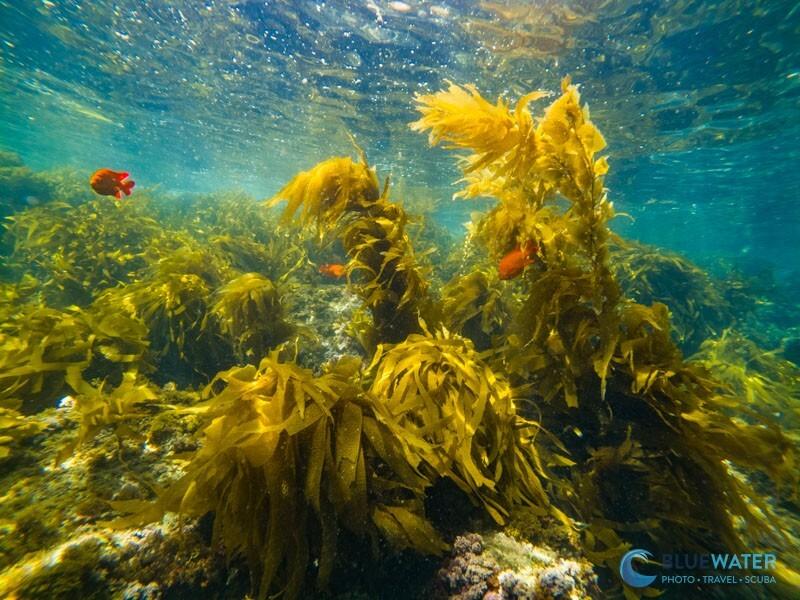
The Mission 1 Pro's auto white balance performed well in most situations, although I noticed a slight green cast once I descended beyond 40 ft.
50 Megapixel RAW Photos
With a larger 1-inch sensor, the GoPro Mission 1 and Mission 1 Pro can take 50-megapixel photos. Though the resolution is incredible, it's still a very high resolution for such a small sensor, with lots of potential for noise. In my opinion, it's more of a gimmick than a feature, as it's very easy to "upscale" photos with currently available AI software. The camera gives you the option to shoot in 12 megapixels and 50 megapixel and I would choose to shoot 12-megapixel photos. Even though you can crop more with 50-megapixels, the details didn't look very good to me and the cropped images looked a little odd. They had a slight aberration that I normally associate with AI sharpening. The Mission 1 can take photos in RAW, which makes them easy to process in post.
Ultimately, the GoPro Mission 1 Pro can take some impressive photos, but it's not primarily a photo camera. If you are more of a photographer than a video shooter, I would consider a compact underwater camera or a smartphone in a smartphone housing.
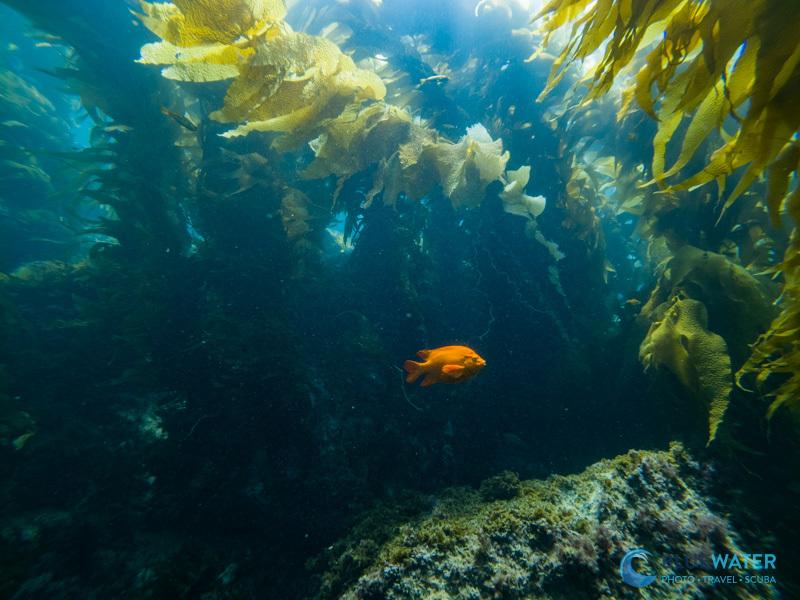
A 50 megapixel photo of a Garibaldi captured with the GoPro Mission 1 Pro
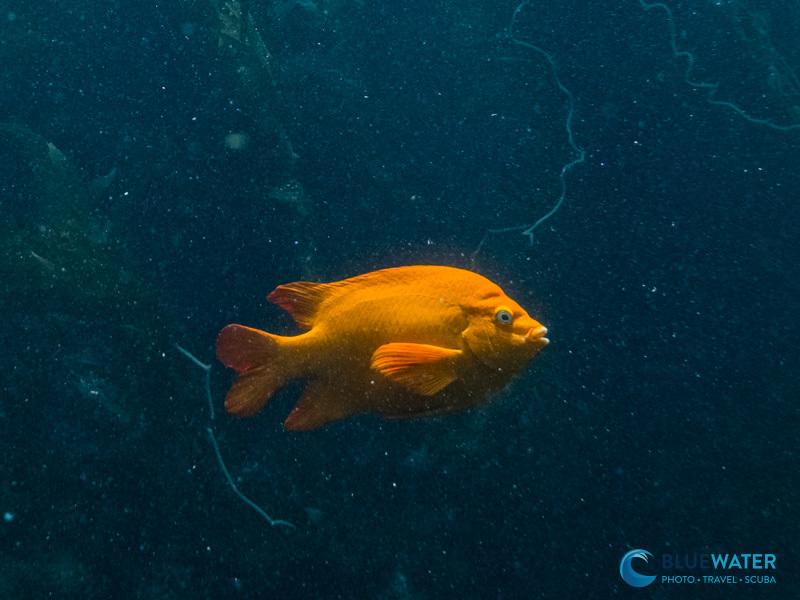
A 100% Crop of the Above Photo
Is the 24 inch minimum focusing distance an Achilles' Heel?
The GoPro Mission 1 Pro does have a potential Achilles' heel that could be a dealbreaker for some underwater video shooters. The camera unfortunately has a minimum focusing distance twice that of the Hero 13, at 24 inches. 24 inches is an extremely far distance to be from your subject underwater, as you need to be close to capture optimal color and detail, especially with video lights. I found this to be quite annoying when I was filming, and, you can see in my footage how fish frequently swim into a range where they are out of focus. One potential fix for this could be to buy an underwater wide-angle or macro lens which shoud reduce the minimum focusing distance of the camera. However, there have currently been no underwater tests performed with these lenses and we are waiting on compatibility information from manufacturers. Although many people are hoping this can be fixed with a firmware update from GoPro, I doubt this will be the case, as it's likely a limitation of the camera's lens design.
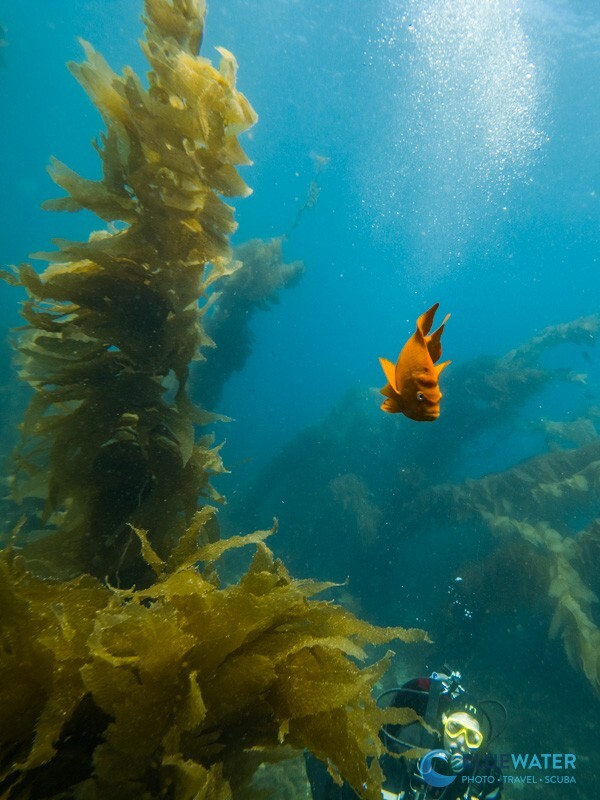
Keeping subjects in focus can be challenging with the Mission 1 Pro's 24-inch minimum focusing distance, particularly when fish move closer to the camera.
Underwater Housing Options for the GoPro Mission 1
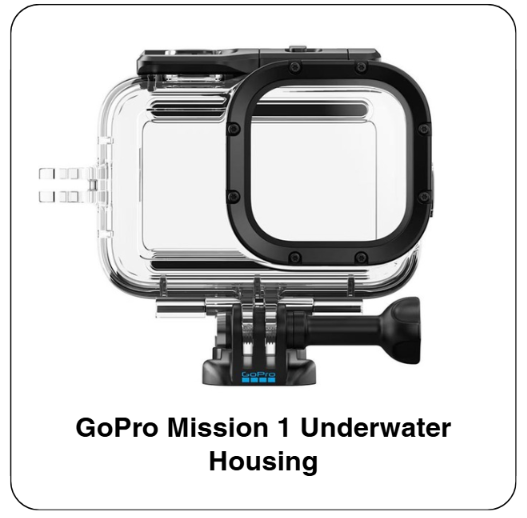
As it stands, there is only one dedicated underwater housing available for the GoPro Mission 1 and Mission 1 Pro, and fortunately, it is a solid option. This official housing created by GoPro is rated to a depth of 196 ft (60 m), making it a suitable option for most recreational divers and those technical divers who venture slightly further than recreational depths.
Much like the GoPro housing for the Hero 9 through to Hero 13, the Mission 1 housing has a simple 2-button operation which allows you to easily start recording or change settings, even with thicker gloves on. When testing this camera in Catalina, the controls were responsive and the larger size barely made a noticeable difference underwater.
A great feature of this particular housing is the ability to attach your various mounting options or selfie sticks in a vertical or horizontal orientation- giving creators greater flexibility in their style of shooting.
For the price of $59.99, I would say that this housing should certainly be considered, by divers or any watersport enthusiasts, especially if you plan to dive deeper that 66 ft (20 m)- which is what the camera alone is rated to. Although there may not be any tougher anodized aliminium options rated to great depths (yet), such as those for the Hero 13, this GoPro 1 Mission 1 housing will at least give you further peace of mind in terms of it's depth allowance, and protect your GoPro from any scratches, impacts or saltwater exposure.
GoPro Mission 1 Underwater Accessories
There are a number of ways to improve your footage with the GoPro Mission 1 and Mission 1 Pro, and the best starting point is underwater video lights and trays. At Bluewater Photo, we have tested a wide variety of lighting systems, trays and additional accessories, which I find to help getting the most out of any of your GoPros. We carry the widest range of GoPro Accessories, some of my preffered options for the Mission 1 and Mission 1 Pro are as follows...
Underwater Video Lights:
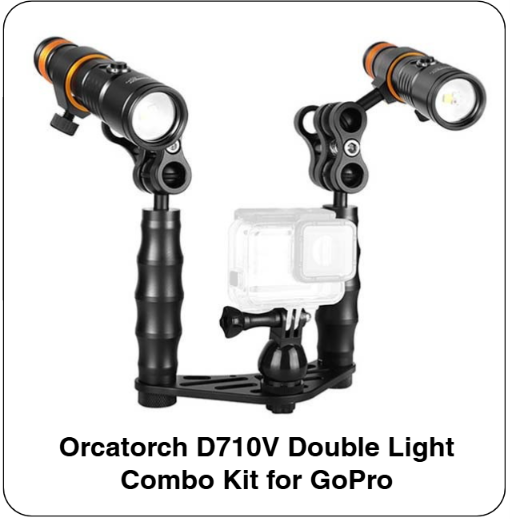
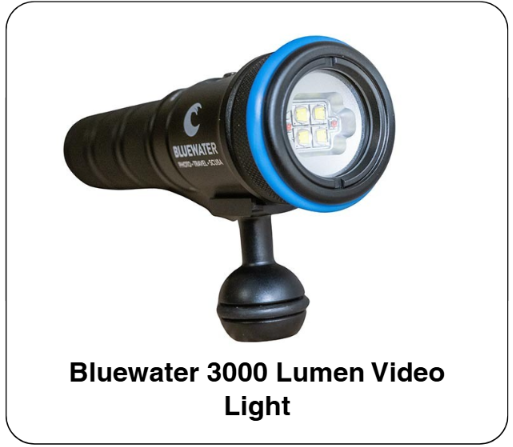
Despite the fact that the Mission 1's larger 1-inch sensor delivers a better low-light performance compared to the older GoPros, video lights are still a great addition to your GoPro set-up. As color is gradually lost at depth, your footage may tend to appear blue and drab. A video light is a quick solution to this issue, giving your footage more of a 'natural color', while adding additional detail and contrast. These are the lights that I would recommend pairing with your Mission 1 and Mission 1 Pro:
GoPro Trays:
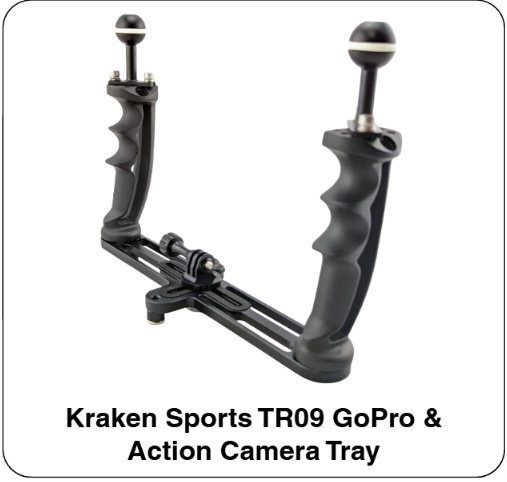
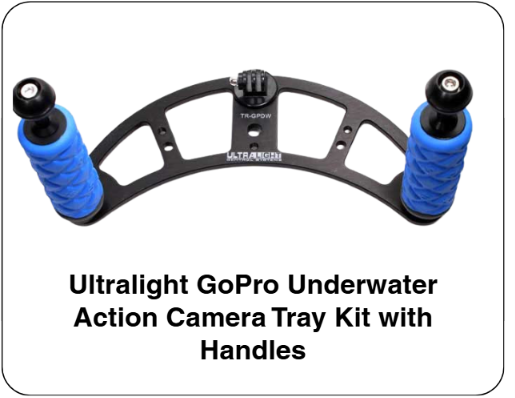
A GoPro tray is one of the simplest ways to achieve stable and cinematic GoPro footage underwater, plus, it add a means of attachment for your video lights. If you are not needing lights and are just looking for stability of your footage, I would recommend these trays from Kraken and Ultralight:
GoPro Mission 1 Pro Kits:
If you are ready to go all-in with the Mission 1 Pro, our own team has created our kits containing some of the above mentioned accessories. These kits bundle the GoPro Mission 1 Pro, the housing, tray, arms, clamps and video lights, setting you up from the get-go. These kits are also designed to help you save in the long run.
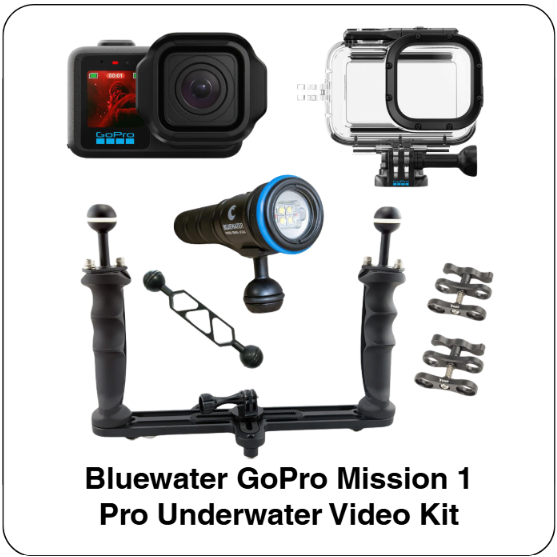
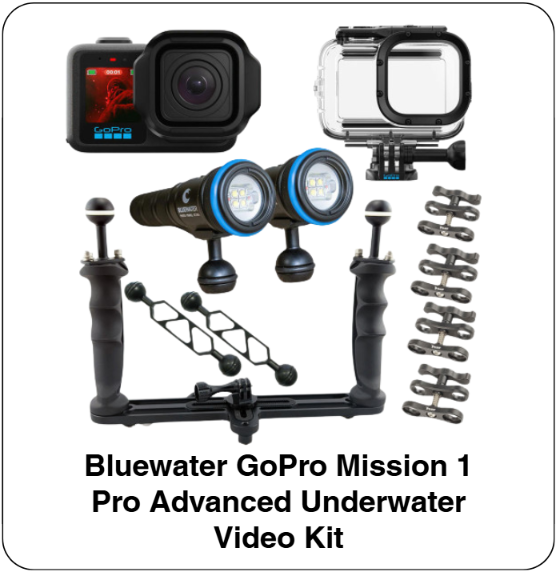
Other useful accessories I would recommend are wrist straps or coiled tethers to keep your GoPro nearby during your entries and exits; and it certainly always helpful to have spare Enduro 2 batteries and high-speed microSD cards for the longer dive days.
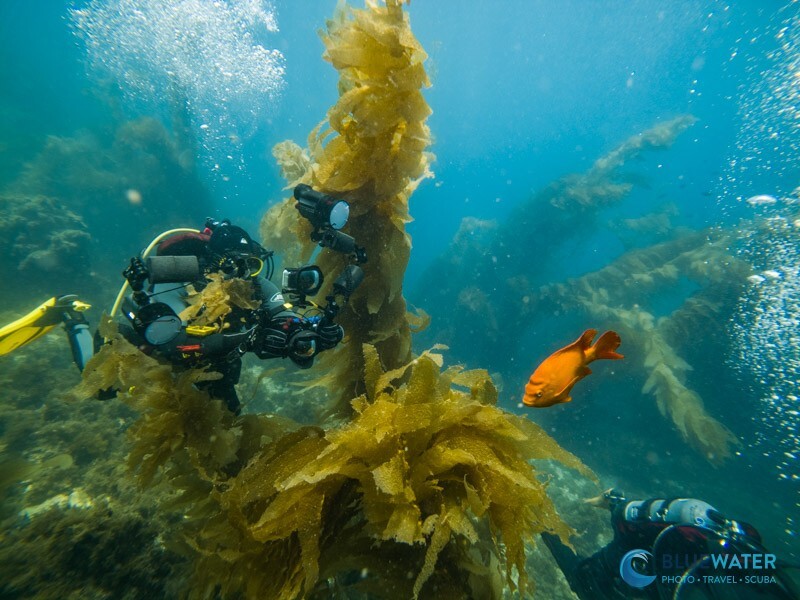
A tray and video lights remain some of the best upgrades for underwater videography, providing a more stable platform and helping restore color at depth.
Who Should Buy the Mission 1 and Mission 1 Pro?
If you've been looking for a compact underwater camera for video but have been disappointed with options like the OM system TG-7, Sony RX100 VII, and Canon G7X Mark III, the GoPro Mission 1 and Mission 1 Pro give you modern and up to date video features. Compared to the GoPro Hero 13, we found the video quality to be similar. But if you are into post-processing and do a lot of low-light video capture then the GoPro Mission 1 Pro is the camera for you.
That said, if you have the GoPro Hero 13 and are happy with your footage, the longer minimum focusing distance of the Mission 1 Pro could be dealbreaker for some. If you are more of an underwater photographer, than it could be worth looking at underwater smartphone housing options as they often give you more photo related features. But as a video action camera - the GoPro Mission 1 Pro is going to be one of the best on the market.
Conclusions
The GoPro Mission 1 and Mission 1 Pro is an ambitious step forward for GoPro. With this upgrade comes improved low-light performance, a larger 1-inch sensor, longer battery life and more professional video workflow with GP-Log2, which are certainly meaningful changes. For many divers, however, the Mission 1 and Mission 1 Pro fall short with the 24-inch minimum focusing distance, which makes it much more challenging to film fish and close-focus wide-angle scenes, often forcing you further away from your subject than what is ideal.
Ultimately, the Mission 1 and Mission 1 Pro hold enormous potential, and are still incredible video action cameras, but it does not withold all of its promises. If you prioritize low-light performance, longer recording times, and a more cinematic editing workflow, you'll likely appreciate what the Mission platform offers. Given the focusing limitations, if you are already happy with your Hero 13, these improvements may not justify the upgrade. I look forward to seeing what the future holds for the Mission series, because with future improvements and accessories, this could be a tough camera to beat.
Nirupam Nigam
Nirupam Nigam, the President of Bluewater Photo & Scuba, is an accomplished underwater photographer and fisheries scientist with a deep-rooted passion for marine life. He began his journey in underwater photography at 15 and, by age 22, became the Editor-in-Chief of uwphotographyguide.com, the leading online resource for underwater photographers. As a North Pacific and West Coast Fisheries Observer, Nirupam spends months aboard fishing vessels in remote areas such as the Bering Sea and Gulf of Alaska, collecting critical fisheries data for the U.S. government. He hails from the West Coast, considering both Southern California and Western Washington home.