Best Large-Screen Dive Computers for Easy Readability
Posted by Jamie Ayliffe on October 6th, 2026
Big Screens for Old Eyes:
The Best Large-Screen Dive Computers
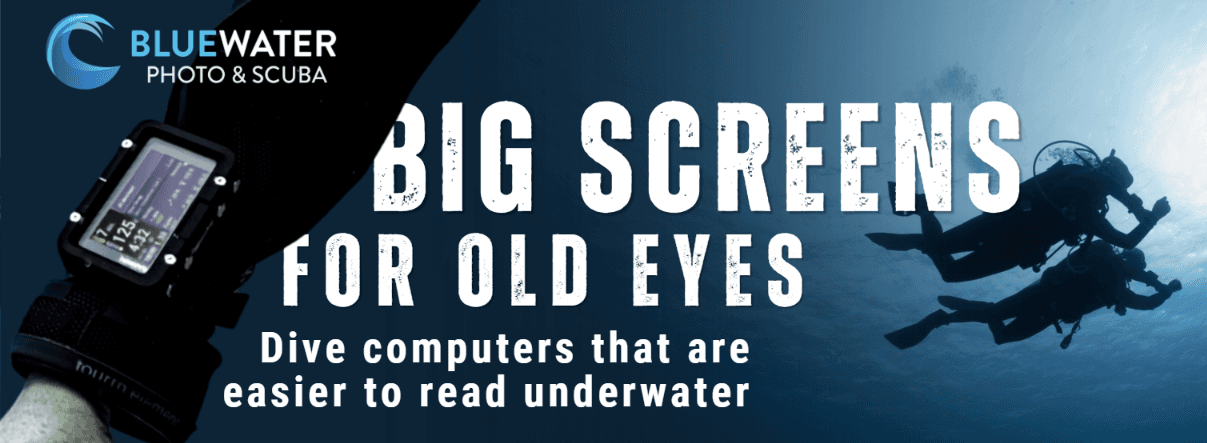
Our team has dived with all shapes and sizes of dive computers on dive trips around the world, in a wide variety of conditions and with everything from large-screen dive computers, consoles, to sportwatches. Through our testing process, most of us have discovered our own 'favorite dive computers', with many of our team members leaning strongly towards those with bigger screens. With one main reason: readability.
While a few of our team members wear glasses and prefer jumbo-screened computers for their eyesight, another huge reason that these computers are favored is from a photography perspective. With our team consisting of mostly underwater photographers, the large screens are extremely useful for when you want to take a quick glance at your dive information, while also concentrating on your buoyancy, your subject, composition, and trying to get the perfect shot!
This said, large-screen dive computers are not for everyone. Many are designed to be dedicated dive computers and cannot be worn as an everyday watch out of the water or between dives. They usually do not track your health or offer sports modes, such as the Garmin or Suunto smartwatches. If you're looking for the best dive computers overall, including dive watches and multi-purpose smartwatches, check out our Best Dive Computers Guide.
When diving, however, safety should always come first! So if a large screen, big numbers and a bright display helps you better receive your dive data- then these big screen computers are definitely worth considering. So we have compiled a guide to the best large-screen computers, and have a range to choose from, according to your budget, dive style and visual needs.
- Jump to Section -
What makes a Dive Computer Easy to Read?
Screen Size:
Display Technology:
Brightness:
Numbers and Fonts:
Buttons and Controls:
Quick Guide to the Best Large-Screen Dive Computer:
- Best Overall Large-Screen Dive Computer: Shearwater Perdix 3
- Best Dive Computer for Poor Eyesight: Garmin Descent X50i
- Large Dive Computer with the Brightest Screen: Suunto Nautic
- Travelers' Choice for Large-Screen Computers: Shearwater Peregrine TX
- Best Big-Screen Computer for Beginners: Suunto Zoop Novo
- Best Value Jumbo Display Dive Computer: Cressi Raffaello
- Best for Recreational Divers: Garmin Descent X30
- Best for Technical Divers: Shearwater Petrel 3
Jumbo Display Dive Computer Comparison Table
| Model | Display | Readability Features | Dive Modes | Air Integration | Depth | Battery | Algorithm |
|---|---|---|---|---|---|---|---|
| Shearwater Perdix 3 |
2.4" full-color AMOLED 450 × 600 pixels |
Big layout Customizable layouts Bright AMOLED |
Air, Nitrox, 3-Gas Nitrox, OC Tec, CC/BO, Gauge, Freediving, Avelo |
Yes Up to 4 |
260 m 850 ft |
Up to 60 hrs lithium AA |
Bühlmann GF |
| Garmin Descent X50i |
3.0" color LCD 640 × 360 pixels |
Large-format display Customizable dive screens Adjustable brightness |
Single-Gas, Multi-Gas, Gauge, CCR |
Yes Up to 8 |
200 m 656 ft |
Up to 16 hrs medium brightness |
Bühlmann ZHL-16C + GF |
| Suunto Nautic |
3.26" AMOLED 720 × 382 pixels |
Automatic brightness Customizable dive views Adaptive interface |
Air/Nitrox, Multigas, Gauge, Freediving |
Yes Wireless |
200 m 656 ft |
80–190 hrs dive use |
Suunto Bühlmann 16 GF |
| Shearwater Peregrine TX |
2.2" full-color LCD 320 × 240 pixels |
Large, readable display Vivid color Clear data layout |
Air, Nitrox, 3-Gas Nitrox, Gauge |
Yes Up to 4 |
120 m 394 ft |
Up to 30 hrs medium brightness |
Bühlmann ZHL-16C + GF |
| Suunto Zoop Novo |
Matrix display 49 × 22 pixels |
Large, clear display Configurable backlight |
Air, Nitrox, Gauge, Free, Off |
No |
80 m 262 ft |
Approx. 1.5 years at 100 dives/year |
Suunto RGBM |
| Cressi Raffaello |
51 × 35 mm rectangular backlit display |
High contrast Large numbers Backlight |
Air, Nitrox, Gauge, Free/Apnea |
No |
120 m 395 ft |
Approx. 4 years User-replaceable |
Cressi RGBM |
| Garmin Descent X30 |
2.4" color LCD 320 × 240 pixels |
Large-font option Color display Large buttons |
Single-Gas, Multi-Gas, Gauge |
No |
100 m 328 ft |
Up to 30 hrs medium brightness |
Bühlmann ZHL-16C + GF |
| Shearwater Petrel 3 |
2.6" AMOLED 320 × 240 pixels |
Large, bright AMOLED High clarity Clear data layout |
Air, Nitrox, 3-Gas Nitrox, OC Tec, CC/BO, Gauge |
Yes Up to 4 |
290 m 950 ft |
Up to 60 hrs lithium AA |
Bühlmann ZHL-16C + GF |
Our Top Large-Screen Dive Computer Picks:
Best Overall Large-Screen Dive Computer
Shearwater Perdix 3
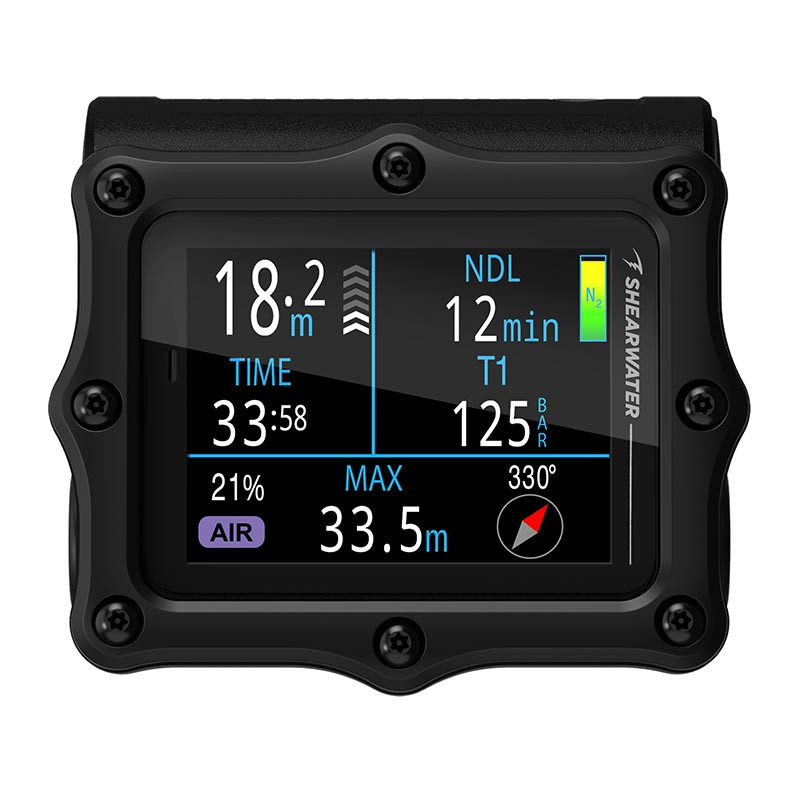
The vivid full-color display has a 450 x 600 resolution, which is about four times the resolution of its predecessor, the Perdix 2. The crisp numbers and fonts can be displayed in one of the three options: Standard, Big and Tec layouts, which can be customized to your needs.
Underneath the armored casing and titanium piezo touch buttons, the computer supports Air, Nitrox, 3-Gas Nitrox, OC Tec, CC/BO, Gauge and Freediving modes, with Avelo available via an unlock code. It is also rated to 260 m / 850 ft depth, has a user-replaceable AA battery, wireless air integration for up to four Shearwater Swift transmitters, a three-axis digital compass and vibration alerts.
- Bright AMOLED display
- Tough construction
- Highly customizable layouts
- Air integration
- Fast Bluetooth Connectivity
- Wide variety of dive modes
- May be too advanced for beginners
- Premium price
- Does not have fitness tracking features
Best Dive Computer for Poor Eyesight
Garmin Descent X50i
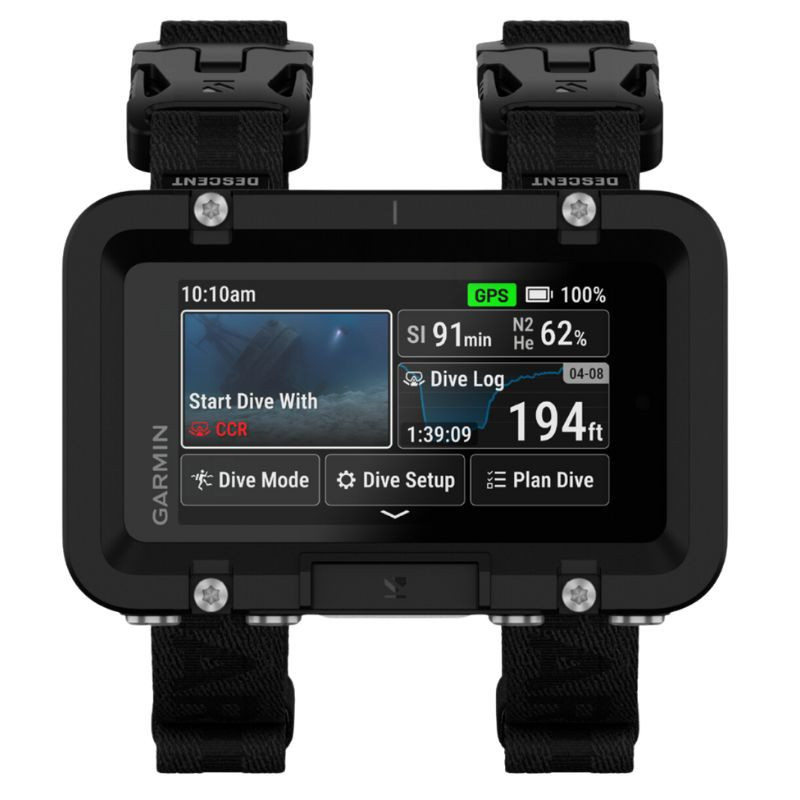
Its large 3-inch color touchscreen allows plenty of space for the information to be displayed, with a crisp 640 x 360-pixel resolution. I also like how this computer is practical for glove use: the touchscreen is functional at the surface, but it has four simple-to-use metal buttons for underwater use.
Beyond its enormous display, however, the X50i has a few unique tricks up its sleeve. Thanks to it's SubWave Sonar System, you can exchange preset messages with connected divers up to 98 ft / 30 m away, while monitoring a buddy's air, depth and distance when they are within 33 ft / 10 m and paired with Descent T2 transceivers. It also has access to DiveView maps, which contain information on over 4,000 dive sites, plus a back-up dive-light for low visibility conditions (or digging around in your dive bag before a night dive!).
This computer is rated to a depth of 656 ft / 200 m and supports a wide range of dive modes, including: Single-Gas (perfect for the recreational divers); Multi-Gas; CCR (which supports high and low PO2 setpoints, diluent and open-circuit bailout gases) and Gauge diving.
- Huge 3-Inch color display
- SubWave messaging between divers
- Air integration and multi-diver monitoring
- Over 4,000 DiveView maps
- Integrated backup light
- May be too large for many divers
- Premium price
- SubWave features only available with Descent T2 transmitter
Dive Computer with the Brightest Screen
Suunto Nautic
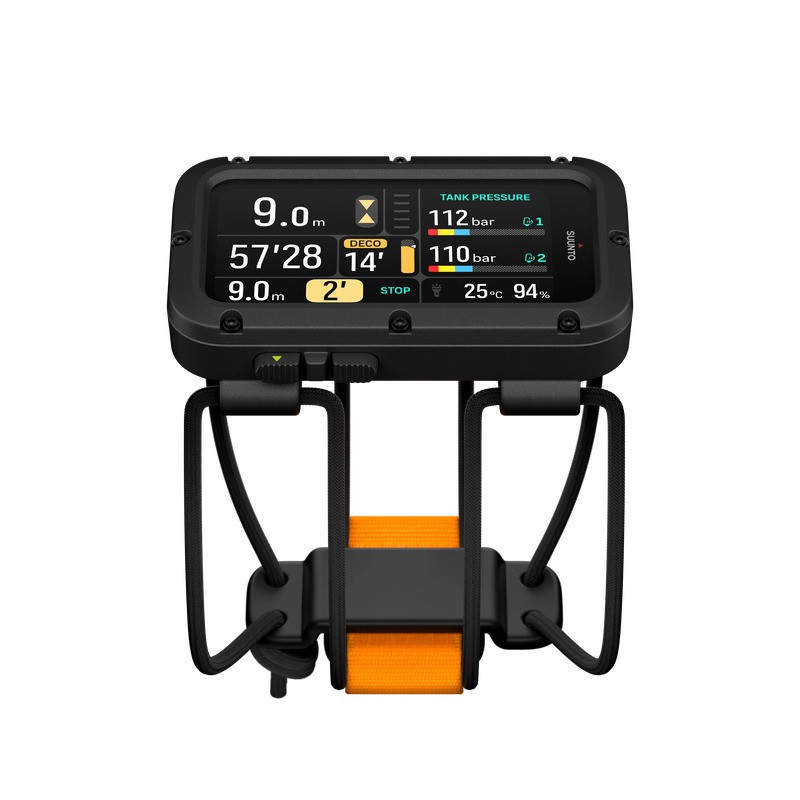
It doesn't stop there- the Nautic also has four glove-friendly tactile buttons, which are lockable, and has an easy user-interface. Plus, air integration with a Suunto tank pod for up to 5 cylinders, and dual-transmitter support for sidemount divers. Navigation is made easy with the Nautic, with a digital compass and offline maps, and post-dive 3-D route tracking using the Suunto App (which I use often!).
This computer is also rated to a depth of 656 ft / 200 m, and supports single-gas, multi-gas and CCR diving, and with a recent update, can handle up to 8 gases! For its price range compared to the more premium computers, I truly believe that the Nautic offers a really impressive combination of features, screen quality and versatility.
- Massive 3.26-inch AMOLED display
- Automatic screen brightness
- GPS and offline maps
- Air integration with a Suunto Tank Pod
- 3D dive-route tracking
- More affordable than premium computers, with great features
- Built in LED flashlight
- Again, screen may be too big for some
- High brightness may drain battery faster (but still rated to 120 hours)
- Bungee Strap may be too small for some
Travelers' Choice for Large-Screen Computers
Shearwater Peregrine TX
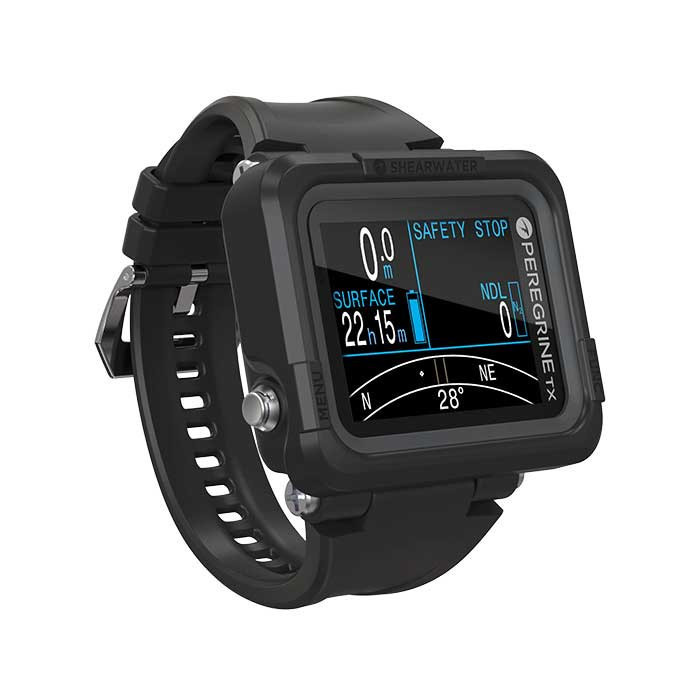
The Peregrine TX has a beautiful and clear 2.2-inch full-color LCD screen, with 320 x 240 resolution. It is rated to a depth of 394 ft / 120 m and gets up to approximately 30 hours of dive time at medium brightness. What I especially like about the Peregrine TX is that Shearwater has taken the straightforward concept of the Peregrine, and added two more features to make it more advanced, namely: air integration (with up to four transmitters) and a tilt-compensated digital compass.
The Peregrine TX also supports sidemount diving, along with Air, Nitrox, 3-Gas Nitrox and Gauge modes. Additionally, this computer has vibration alerts, which is great for us underwater photographers who are glued to our camera screen trying to get the perfect shot.
- Travel-friendly and lightweight
- Clear, full-color 2.2-inch display
- Wireless air integration
- Built-in digital compass
- Not overly complicated
- Wireless charging
- No Trimix or CCR support
- Smaller display than the X50i and Nautic (if you want a really big screen)
- LCD rather than AMOLED
Best Large Screen Dive Computer for Beginners
Suunto Zoop Novo
The Zoop Novo is rated to 262 ft / 80 m and supports Air, Nitrox, Gauge and Freediving modes, and has dive-planning features with all the necessary safety functions for recreational diving. What I loved about the Zoop Novo was the user-replaceable battery which can last up to 1.5 years if you do 100 dives a year, giving you one less thing to worry about.
This computer is budget-friendly, and although is does not have air integration, a color AMOLED screen or smartwatch functionality, it is designed to be straight forward - allowing you to focus on your diving while still remaining safe within your limits.

- Large, clear matrix screen with a backlight
- User-replaceable battery with long battery life
- Affordable
- Simple user-interface
- Air, Nitrox, Gauge and Freediving modes
- Does not have a color-screen
- No air integration
- Does not have bluetooth or smartwatch features
- Has an Acrylic lens which is more prone to scratching
Best Value Large-Screen Dive Computer
Cressi Raffaello
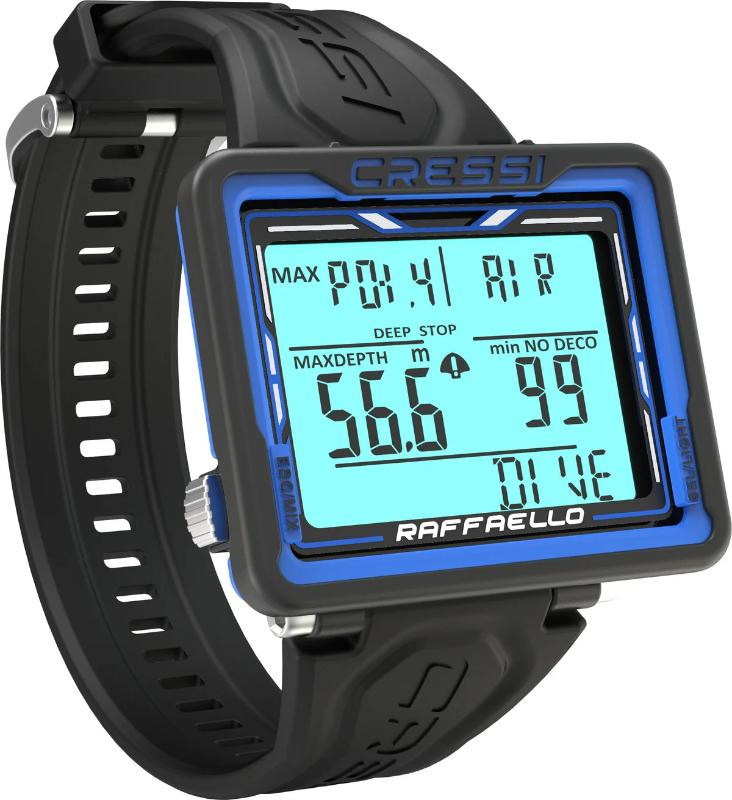
The Raffaello is rated down to 393 ft / 120 m, supports Air, Nitrox (up to three gas mixes) and Freediving modes. It also has a built-in compass, which puts it a step above the Zoop Novo, and adjustable PPO₂ settings. What really impressed me above all else was the battery life. Cressi states that this computer's battery can last up to 4 years, so no need to scramble for forgotten chargers on your dive trip!
The combination of the large display and simple recreational diving features make this computer really appealing to recreational divers of all levels, who aren't yet ready to jump into the price range of premium dive computers.
- Affordable
- Large 2 x 1.4-inch display
- Backlighting and high contrast
- Built-in compass
- User-replaceable battery
- No wireless air integration
- No Trimix or CCR support
- Conservatism settings cannot be adjusted
Best for Recreational Divers
Garmin Descent X30
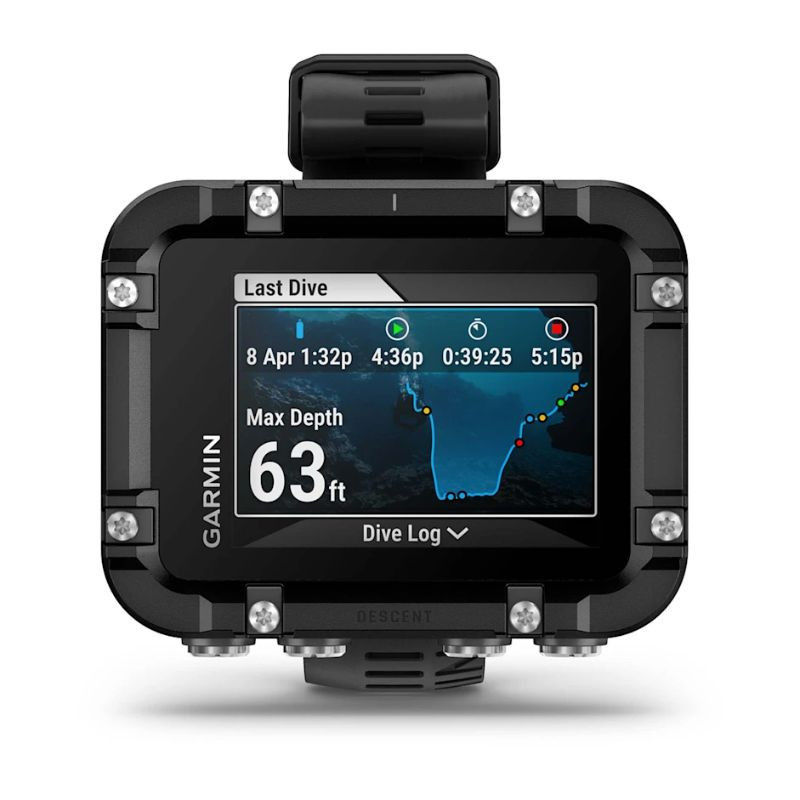
The 2.4-inch color display has a large-font option, and a 320 x 240-pixel resolution which is great for readability, and the display can be flipped depending on how you would like to wear it. The four leak-proof buttons are easy to navigate, and use with gloves in cold water.
The X30 supports Single-gas, Multi-gas and Gauge modes, including Trimix. Other useful features added by Garmin include: NDL Aware, surface GPS, dynamic depth chart and a three-axis digital compass. This computer is rated to a depth of 328 ft / 100 m and can last up to 30 hours in dive mode on medium brightness. It does not offer air integration, communication or CCR support like the x50i, but it still has plenty of useful features from a recreational diving stand-point.
- 2.4-inch color display with large fonts
- Screen display can be flipped
- Supports many dive modes, including Multi-Gas and Trimix
- NDL Aware and dynamic depth charts
- More affordable than top-end computers
- No air integration or SubWave communication
- Built-in battery is not user-replaceable
- Chemically strengthened glass instead of crystal sapphire
Best Dive Computer for Technical Divers
Shearwater Petrel 3
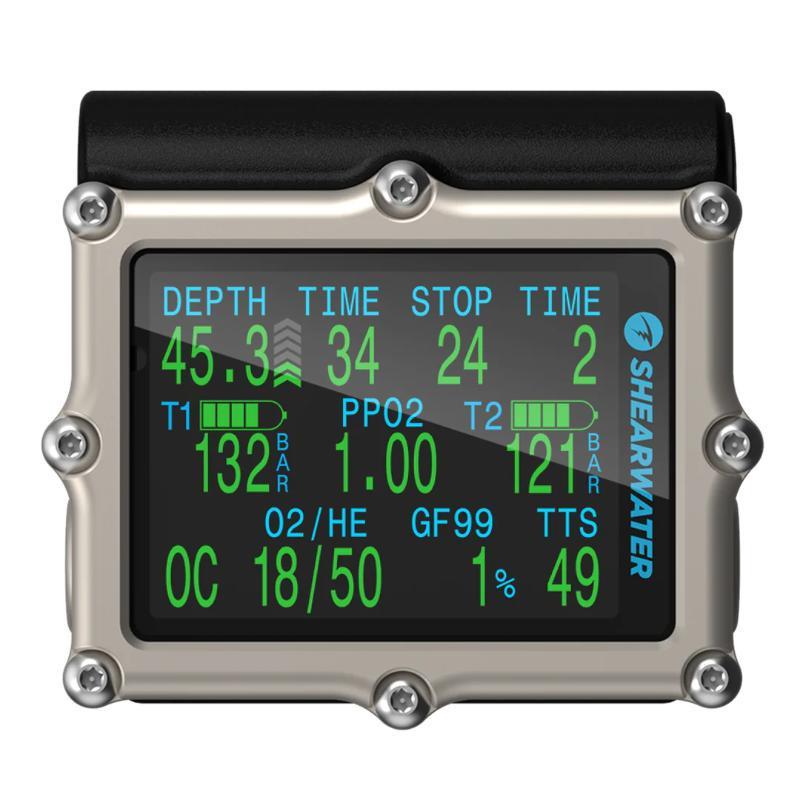
This computer uses Shearwater's Bühlmann GF algorithm, with optional VPM-B and DCIEM models, and supports a wide range of dive modes, including: Air, Nitrox, 3-Gas Nitrox, CC/BO and Gauge diving, with up to 5 open-circuit and 5 closed-circuit gases. To top it all off, the Petrel 3 supports air integration and can pair with up to four wireless transmitters.
What we particularly enjoy about this computer is the strong vibration alerts, and the user-replaceable AA batteries which last about 60 hours in dive mode. In our opinion, it is the combination of the clear and large screen, and the advanced gas and decompression features that make this a top-notch choice for technical divers. There is a lot of information that is needed, and the Petrel 3 makes it easy to read!
- 2.6-Inch AMOLED Screen
- Tough construction
- Strong vibration alerts
- Air integration with up to 4 transmitters
- Air, Nitrox, Trimix and CCR capability, with up to 5 open-circuit + 5 closed-circuit gases
- Rather heavy
- May be too complex for beginners
- Piezo touch buttons may take some time to get used to
Our Final Thoughts:
As always with dive gear, there is no one-size-fits-all answer. The right dive computer choice depends on your diving style, budget, the information you need, and, even your eyesight.
There may be many factors to keep in mind when choosing your new dive computer, but most importantly, safety should always be a top consideration. Are you a beginner? Then maybe wait a while before purchasing a top-end technical dive computer. Or maybe you are a technical diver on a budget, a cheaper recreational computer may not do the trick. A large screen won't make a diver safer on its own, but having quick access to your depth, NDL, ascent rate or tank pressure can help keep you aware and make informed decisions. At the very least, your eyes might thank you for going bigger!
Still not sure which large-screen dive computer is the best choice for you? Get in touch, our team of dive experts will be happy to help!
Frequently Asked Questions about Large-Screen Dive Computers:

Jamie Ayliffe
With a degree in Ichthyology (fish) and Zoology, she has a strong passion for the underwater environment and marine conservation. She is equally passionate about sharing her love for diving, and dive gear, with fellow SCUBA enthusiasts. With much experience in handling and upkeeping SCUBA gear, Jamie has a strong understanding of dive equipment functionality, individual diver necessities, and the latest trends in the diving industry. She is eager to share her insights with you!