

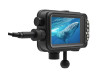





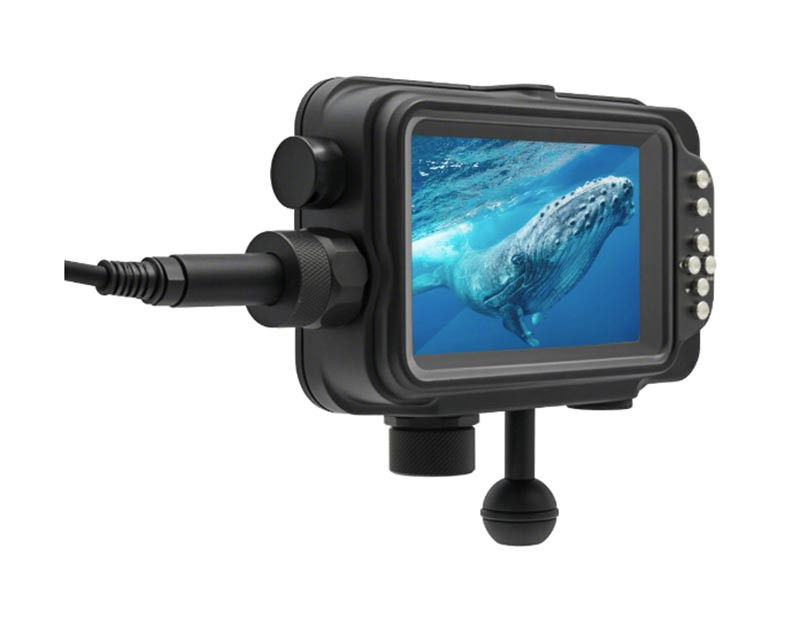


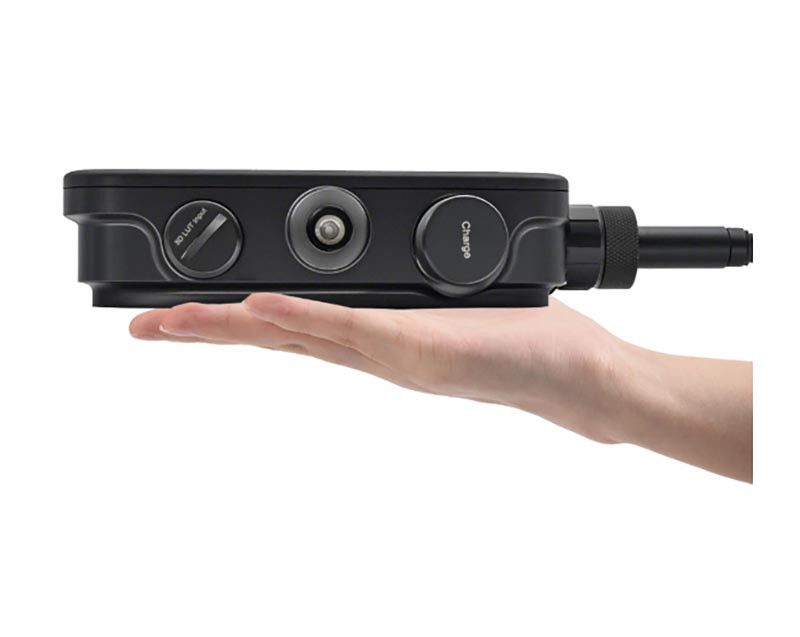
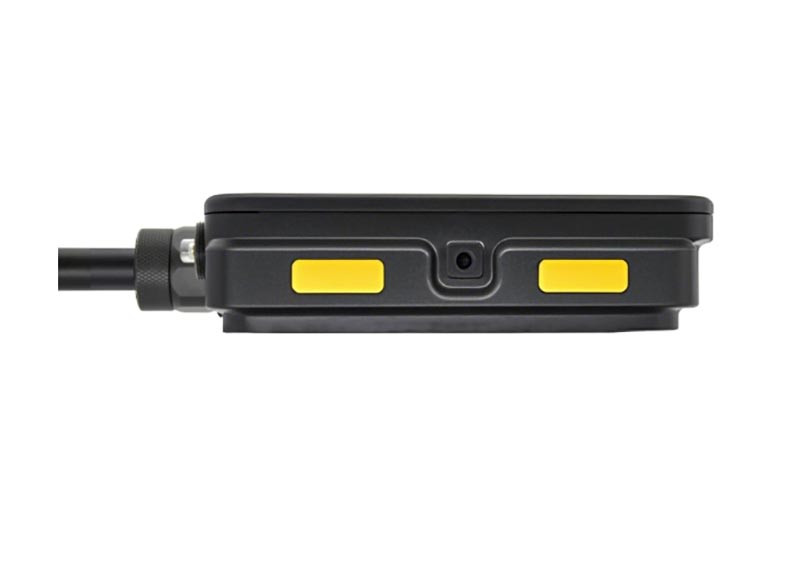


The Fotocore UM5.5 HDR is a compact, pro-grade underwater monitor that makes critical focus, exposure, and composition easy—even in bright, shallow conditions. Its 5.5" HDR display presents a clean, low-latency view so you can work faster and with more confidence.
Built for streamlined rigs and travel-friendly setups, the UM5.5 integrates cleanly with popular housings and HDMI bulkheads while offering practical monitoring tools for both run-and-gun and controlled shoots.
- Bright, high-contrast 5.5" HDR touch display for topside sun or clear tropical water
- Clean HDMI workflow with housing bulkhead compatibility and secure routing
- Common monitoring aids (e.g., LUT workflows, peaking, zebras—feature availability varies by firmware)
- Compact footprint with glove-friendly controls and robust mounting options
- Long-runtime power design tailored for underwater use
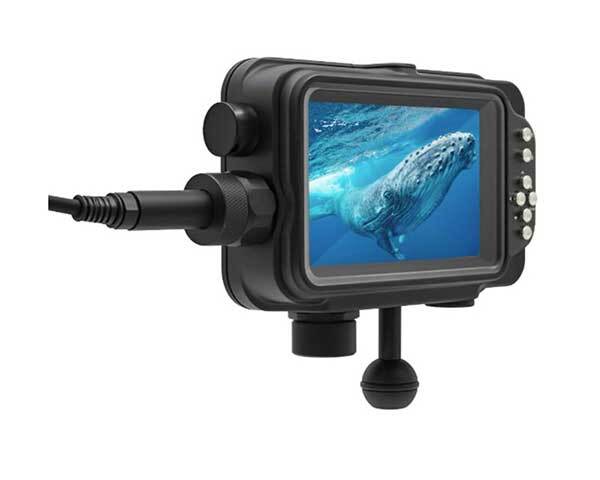
Daylight Clarity, Underwater Confidence
The UM5.5’s HDR-class panel cuts through glare so you can judge sharpness and exposure at a glance. Whether you’re monitoring in shallow sun or shooting reflective sand, you see usable contrast and color without guessing.
- High brightness for bright topside and blue-water scenes
- Wide viewing angles help buddy checks and topside directing
- Low-latency display for responsive framing
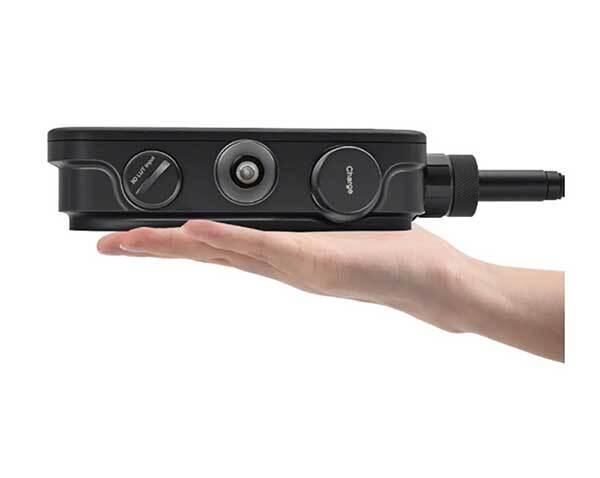
Practical Tools When You Need Them
Work faster with familiar monitoring aids. From LUT workflows to basic exposure and focus helpers, you get a clean, informative image without clutter. Configure once, then keep your full attention on the scene.
- LUT support for quick Log → Rec.709 previews (where available)
- Peaking & zebras to confirm focus and protect highlights
- Simple, glove-friendly UI with clear status feedback
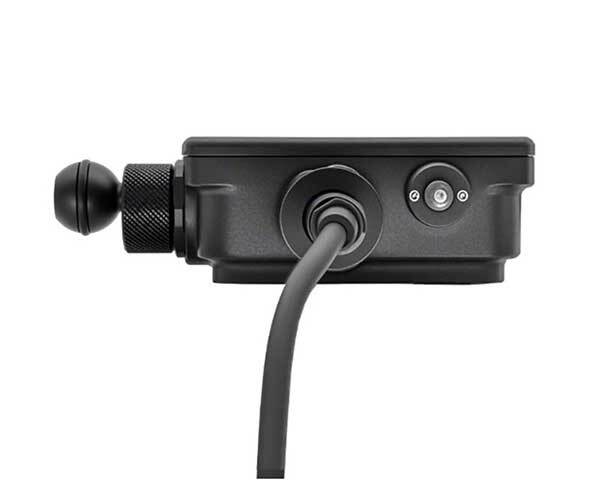
Clean HDMI Integration
Connect via your housing’s HDMI bulkhead and route cables securely along the arms for a tidy, snag-resistant rig. The monitor’s compact footprint keeps the system balanced for steady hand-held work.
- Works with common HDMI bulkheads (M16/M24; housing-dependent)
- Multiple mounting points for flexible placement
- Strain-relief friendly cable runs reduce failure risk
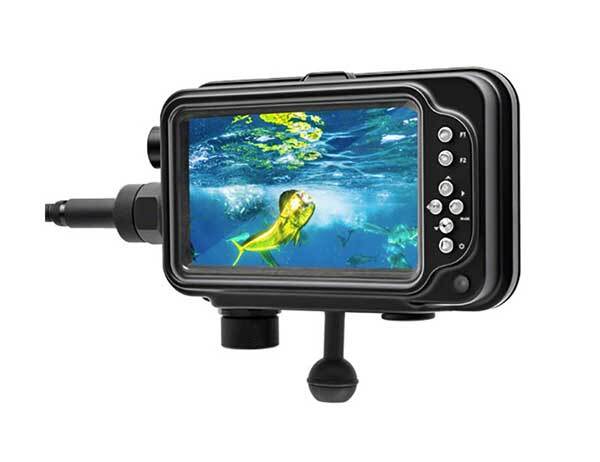
Built to Work, Dive After Dive
The UM5.5 pairs a rugged enclosure with a long-runtime power design so you can focus on the shot instead of battery swaps. Controls are positive and glove-friendly for low-stress operation on the boat and underwater.
- Durable housing and seals for reliable field use
- Runtime optimized for typical two-tank days
- Serviceable O-rings and straightforward post-dive care
- Travel rigs where space and weight matter
- Macro, CFWA, and shallow sunlit scenes needing precise focus/exposure
- Run-and-gun documentary where quick setup and readability are key
Why Buy from Bluewater Photo
- Expert, working-shooter advice to match monitor, bulkheads, and cables to your camera & housing
- Pre-purchase compatibility check and setup guidance
- Backed by manufacturer warranty; post-purchase support and best-practice care tips
See more, decide faster, and bring home cleaner footage with the Fotocore UM5.5 HDR.
- Nikon Gear Line-Up — we have the full range of Nikon camera gear
- Nikon Z8 mirrrorless camera — Nikon's top level pro camera
- Nikon Z5 II camera — Nikon's latest entry level full frame camera
- Type A to Type D (Micro HDMI): For cameras with a micro HDMI port.
- Type D to Type C (Mini HDMI): For cameras with a mini HDMI port.
- Type D to Type D (Micro HDMI): For cameras with a micro HDMI port.
These cables are available for purchase separately, allowing you to choose the one that best fits your camera's HDMI port.
How to Install Your UM5.5 Monitor
Learn More — Guides & Articles
- Best Underwater Camera — Our top picks for 2024.
- Scuba Essentials for better underwater photographs — Our suggested scuba gear for taking photos underwater
- Underwater Photography Guide — photography, lighting & strobe technique fundamentals for underwater
- Best dive computer for 2025 — Our top picks for 2025
Specifications
- Display & Imaging
- 5.5" HDR-class touch display, Full HD (1920×1080), 16:9
- Wide viewing angles for buddy/director visibility
- LUT workflow support for quick Log → Rec.709 previews (feature set varies by firmware version)
- Connectivity
- HDMI input/output (camera & housing dependent)
- Supports typical M16/M24 HDMI bulkheads; verify parts for your housing
- Secure cable routing and strain relief recommended
- Power
- Long-runtime power system designed for underwater use
- Version-dependent battery architecture (integrated pack or 21700 cells)
- Some versions include 8V DC out for camera power—confirm for your model
- Build & Mounting
- Compact, rugged enclosure with glove-friendly controls
- Multiple 1/4"-20 points and ball-mount options
- Depth rating per housing; maintain O-rings and seals per manual
- Compatibility
- Works with popular housings (e.g., Nauticam, Ikelite, Isotta) using the appropriate HDMI bulkhead/cable set
- Feature set and runtime can vary by firmware and configuration
- Contact Bluewater Photo for verified, camera-specific parts list
Specifications may vary by production batch and firmware. We’ll help confirm the exact configuration for your system.
- Scubalamp UM5.5 HDR Underwater Monitor
- 2x 21700 batteries
- HDMI cable
- Mini-HDMI cable
- Macro-HDMI cable
- Spare O-rings
- Wrench
- Spare Bulkhead covers
- Ball Mount
Fotocore UM5.5 HDR Underwater Monitor
1) Who is this for, practically speaking?
This monitor suits underwater creators who need a larger, more accurate view than a camera’s built-in screen—think macro shooters checking critical focus, wide-angle videographers framing reef scenes, and guides or safety divers who must see the shot from off-axis.
- Use cases: DSLR/mirrorless rigs in housings, compact cameras with video focus, topside surface feeds on boats, and training/client review.
- Benefits: Easier composition, better focus assessment, and more comfortable viewing when the camera is on a tray/arm or in tight spaces.
- Trade-offs: Adds bulk, requires power management, and needs careful cable routing and sealing.
2) How do I confirm compatibility with my gear and workflow?
Match three things: the physical connection, the video signal, and the mounting/power plan.
- Interfaces: Verify your camera/housing output (e.g., HDMI or SDI) and the connector size (full-size, mini, micro) on both the housing bulkhead and the monitor. Confirm that any feed-throughs, adaptors, and cables are rated for your depth and environment.
- Signal formats: Ensure your camera’s output resolution, frame rate, and scan type (progressive vs. interlaced) are accepted by the monitor. If you plan to shoot log or HDR profiles, confirm whether your workflow requires specific viewing modes or LUTs.
- Mounting & power: Check available mounting points (ball, cold shoe, 1/4-20) and how you’ll power the monitor (internal battery, external pack, or housing feed). Plan strain relief to avoid stressing ports.
- Pro tip: Share your exact camera, housing, bulkhead/cable part numbers, and intended settings with Bluewater Photo; they can verify compatibility and provide setup guidance tailored to your kit.
3) Setup & pre-use checklist
- Mounting: Attach the monitor securely; tighten clamps but leave enough travel to adjust angle with gloves. Add a lanyard if working in surge.
- Cable routing: Use the shortest practical cable; keep gentle bends; add strain relief; confirm bulkhead caps and O-rings are clean, lightly lubricated, and properly seated.
- Mode matching: On land, set your camera’s output to a format the monitor displays reliably; disable unwanted camera overlays if you want a “clean” feed.
- Dry-run test: Power everything, wiggle-test the cable, start/stop recording, and verify the image doesn’t drop when you pan, change frame rate, or switch picture profiles.
- Sanity checks before the water: Battery level, spare cable in the kit, shade/hood installed if needed, anti-fog/desiccant placed per housing guidance, buttons/knobs cycle without sticking.
4) When to use Automatic vs. Manual/Custom operation
If the monitor offers automatic detection or adaptive viewing (e.g., auto input detection or auto brightness), start there to quickly establish a stable image—especially when moving between bright surface light and darker depths.
- Choose Automatic when conditions change frequently, you’re scouting a site, or multiple shooters may use the rig.
- Choose Manual/Custom when you need consistent reference: matching color/brightness across a multi-day shoot, avoiding “pumping” exposure perception, or maintaining a fixed look for macro focus pulls.
- Practical workflow: Begin in Auto to confirm signal, then lock in preferred Manual settings (brightness, any picture mode you rely on) before the dive. If the monitor supports focus/exposure aids, map quick toggles to avoid menu diving with gloves.
- Reminder: Expect minor processing latency on any external monitor; for fast action, practice your timing and avoid judging critical exposure from brightness alone—use your camera’s meters/scopes where available.
5) Reliability, maintenance & troubleshooting
- No image? Confirm power, then reseat both cable ends; try a known-good cable; match output format; check that bulkhead pins are clean and dry; reboot camera and monitor in that order.
- Intermittent signal: Look for stressed connectors, loose clamps, or cable lengths beyond spec. Reduce unnecessary adapters and secure strain relief.
- Color/brightness drift: Periodically compare against a grey card or known reference on land and adjust your monitor’s viewing mode as needed.
- Aftercare: Rinse in fresh water with buttons unpressed, soak to dissolve salt, then dry thoroughly. Store with desiccant; keep out of direct sun/heat on deck.
- Environment limits: Follow your housing’s depth rating; cold reduces battery life; heat can fog or trigger thermal throttling—plan shade and airflow topside.
- Recommended spares: Extra video cable, bulkhead O-rings/caps, anti-fog inserts, small microfiber, and a backup mount clamp.
- Need help? Bluewater Photo can validate your exact camera/housing/bulkhead combination and suggest a reliable cable path and settings.
Note: Features and behavior can vary by model, configuration, environment, and firmware. For mission-critical use, request a compatibility check and a tailored setup plan from Bluewater Photo.
Why Buy from Bluewater
- Authorized Garmin & dive gear dealer — full manufacturer warranty.
- Founded and staffed by active divers, underwater photographers, and explorers.
- Decades of combined hands-on experience with the gear we sell.
- We test and use most of the equipment ourselves before recommending it.
2. Risk-Free Purchase (See Terms Of Service)
- 30-day, hassle-free returns (unused condition).
- Secure payment with trusted gateways (credit card, PayPal, etc.).
- All products shipped in factory-sealed boxes (unless stated).
- Transparent policies — no hidden fees or fine-print surprises.
3. Fast & Reliable Delivery
- Free U.S. shipping over $200 for Photo Gear & $50 for Dive Gear.
- Same-day dispatch on in-stock orders placed before 12pm.
- Worldwide shipping options with reliable carriers.
- Real-time tracking updates sent straight to your inbox.
4. Extra Value at No Extra Cost
- Lifetime product support by email, phone, or in-store.
- Setup help & usage tips tailored to your needs.
- Exclusive buyer’s guides, tutorials, and dive trip invitations.
- Early access to special promotions & new releases.
5. Social Proof & Community
- Thousands of satisfied divers & underwater photographers worldwide.
- 5-star average product & service ratings.
- Active in dive events, conservation projects, and photography competitions.
6. Personal Connection
- Direct line to our in-house experts — no outsourced call centers.
- Friendly, passionate staff who speak “diver” fluently.
- We care about your whole adventure, not just the sale.
We offer lifetime support with all purchases.
Please call or email us with any questions; our knowledgeable staff would love to assist you.