



Aquatica USB-C Connector
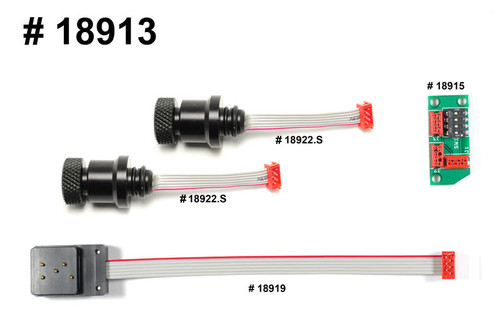
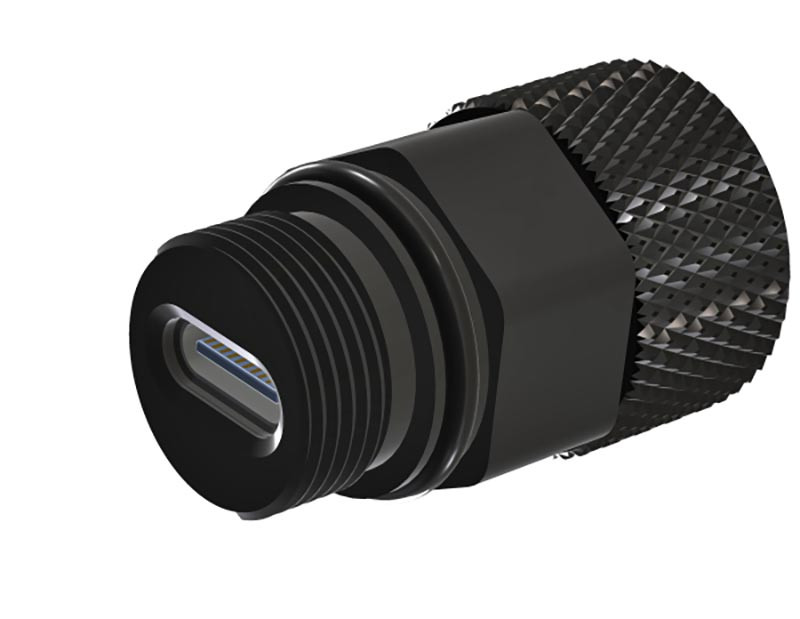
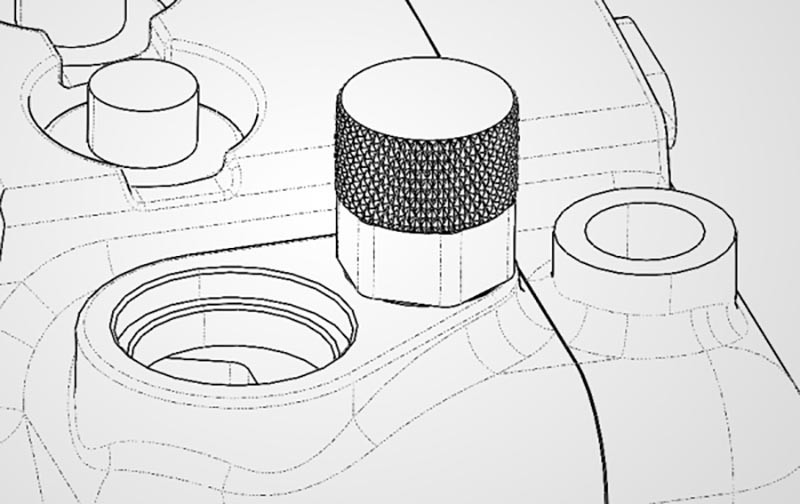
One of the biggest workflow challenges with an Aquatica housing is power and data access once the camera is sealed. The Aquatica USB-C Connector is designed to solve that problem cleanly—giving you external USB-C access without opening your Aquatica underwater housing between dives or sessions.
In real-world use, this connector shines during long days on boats, in pools, or on expeditions where opening an aquatic camera housing repeatedly increases the risk of o-ring contamination. By routing USB-C through the housing wall, you can manage power, data, and camera control in controlled, dry environments while keeping the internal seal intact.
External power for extended shoots: The USB-C access port allows you to connect a compatible USB-C power source (such as a power bank or external battery pack) in dry environments or on the surface, allowing quick top-ups between dives without removing the camera from the housing.
High-speed data offload without breaking the seal: With the camera safely installed, the USB-C connection can be used (in a dry environment) to transfer files directly to a laptop or workstation, backup critical footage on the boat or on set, and maintain a controlled environment inside the housing. Fewer open/close cycles also means less wear on O-rings—something we notice quickly in rental fleets and heavy-use systems.
Important limitation: This connector is intended for dry/surface use only—not underwater cable use. USB-C cable fit and camera support can vary, so please verify compatibility for your exact housing/camera workflow before ordering.
- Best for: Aquatica housing owners needing USB-C access without opening the housing.
- Not for: Non-Aquatica housings or users expecting plug-and-play fit across all models.
- Maintains housing sealing when properly installed.
- Supports cleaner workflow for data or power access between dives.
Learn More — Guides & Articles
- Best Underwater Camera for 2025 — our top picks for underwater photography.
- Best Dive Computer — our top dive computer picks.
- Best underwater strobes for 2025 — guide to the best strobes available in 2025
- Best Video Lights for 2025 — our favorite continuous lights.
- Nikon ZR UNderwater housing options - all the available housings for the Nikon ZR Camera
Important Notes
- The USB-C bulkhead is designed to remain fully connected and sealed before entering the water. Cables must not be connected or disconnected underwater.
- Actual functions available (power delivery, data transfer, tethering, external recording, etc.) depend on camera firmware, connected devices, and third-party software support.
- As with all Aquatica penetrations, the USB-C port is built around a precision-machined, O-ring sealed bulkhead and maintains the housing’s depth rating when properly installed and maintained.
- By integrating external USB-C access, the housing extends the camera’s hybrid potential beyond the dive itself—streamlining power management, accelerating data handling, and enabling more advanced control workflows while keeping the system sealed, secure, and ready for the next descent.
Recommended USB-C Pigtail for Charging (Not Included)
To power the camera through the housing’s USB-C bulkhead, an internal USB-C pigtail cable is required to connect the camera to the inside of the connector, while a standard USB-C power cable is used externally.
Internal pigtail (inside the housing)
Use a short, flexible USB-C cable with the following characteristics:
- Connectors: USB-C male to USB-C male
- Length: Approximately 15–30 cm (6–12″) to avoid excess loops inside the housing
- Profile: At least one low-profile or 90° (right-angle) USB-C plug on the camera side to maintain clearance from controls and minimize stress on the camera’s USB-C port
- Rating: USB 2.0 or higher with USB Power Delivery (PD) support up to at least 60 W (more than sufficient for powering and charging the camera)
- Cable type: Ultra-flexible jacket suitable for routing around camera and housing controls without creating tension or sharp bends
This internal pigtail remains connected between the camera and the inside of the bulkhead and is not intended to be disconnected during normal use.
External cable (outside the housing)
On the outside, you simply connect:
- A USB-C male to USB-C male PD cable between the bulkhead and a compatible USB-C power bank or AC adapter.
- For systems using a USB-A power source, a USB-C to USB-A PD-capable cable or adapter may be used, provided it delivers sufficient current as specified by the power bank or charger manufacturer.
Important
- All connections must be made and verified in a dry environment before entering the water.
- Cables must not be connected or disconnected underwater.
- Ensure there is no tension on the internal pigtail and that it does not interfere with camera controls or prevent proper closure of the housing back.
With the correct internal pigtail and external cable, the USB-C bulkhead becomes a reliable way to keep your camera powered for long recording sessions while preserving the integrity of the housing’s seal.