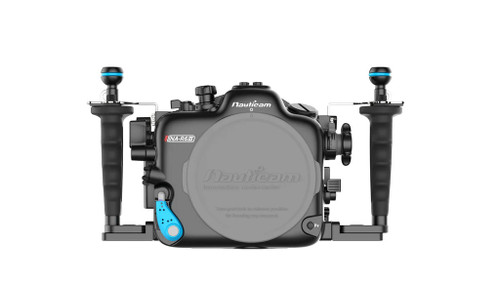



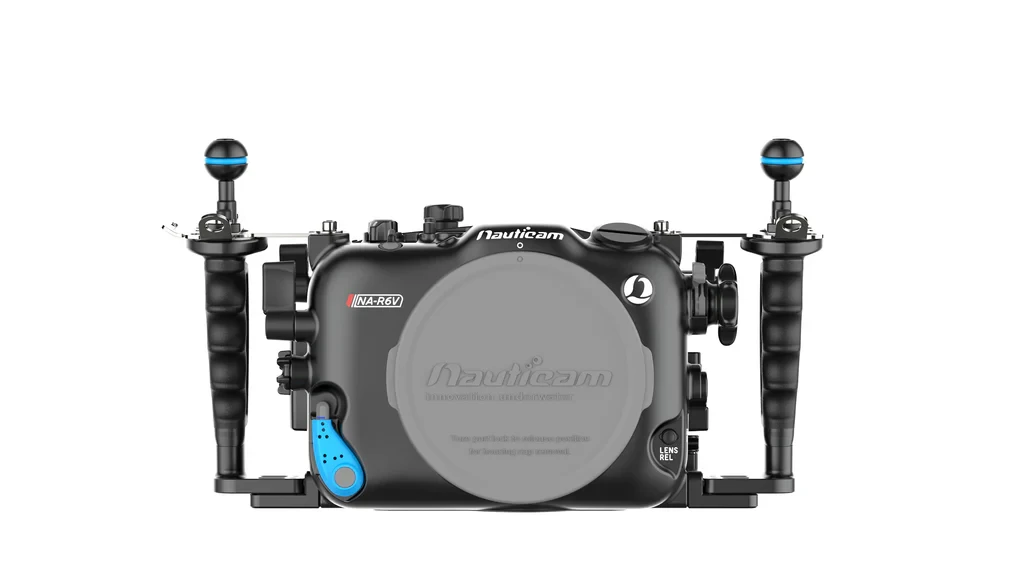
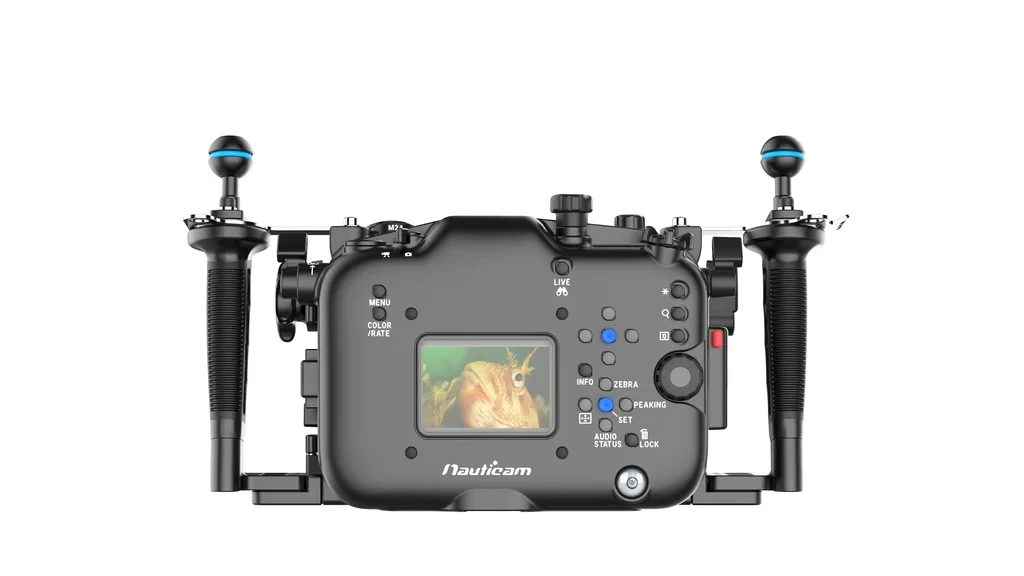
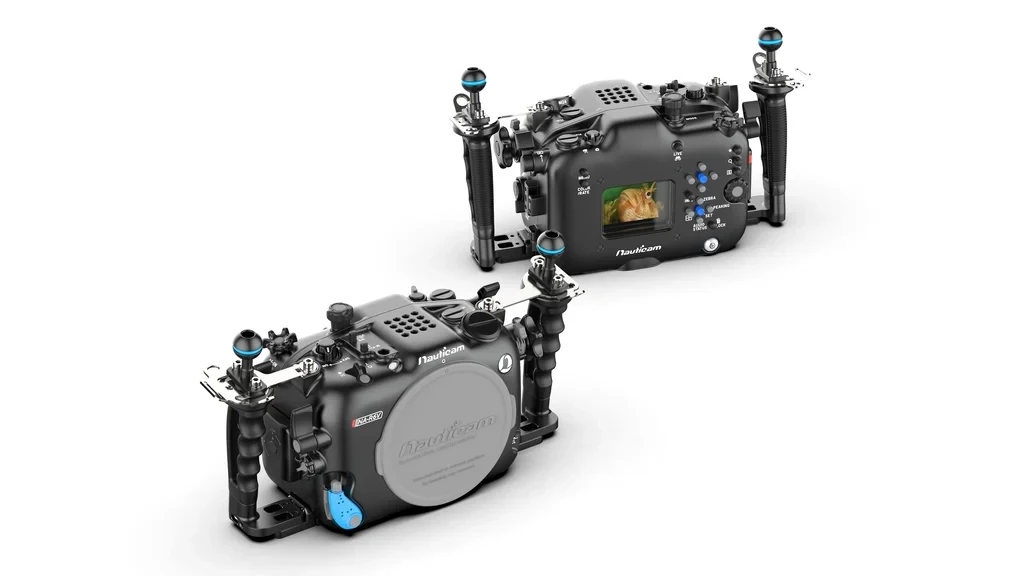
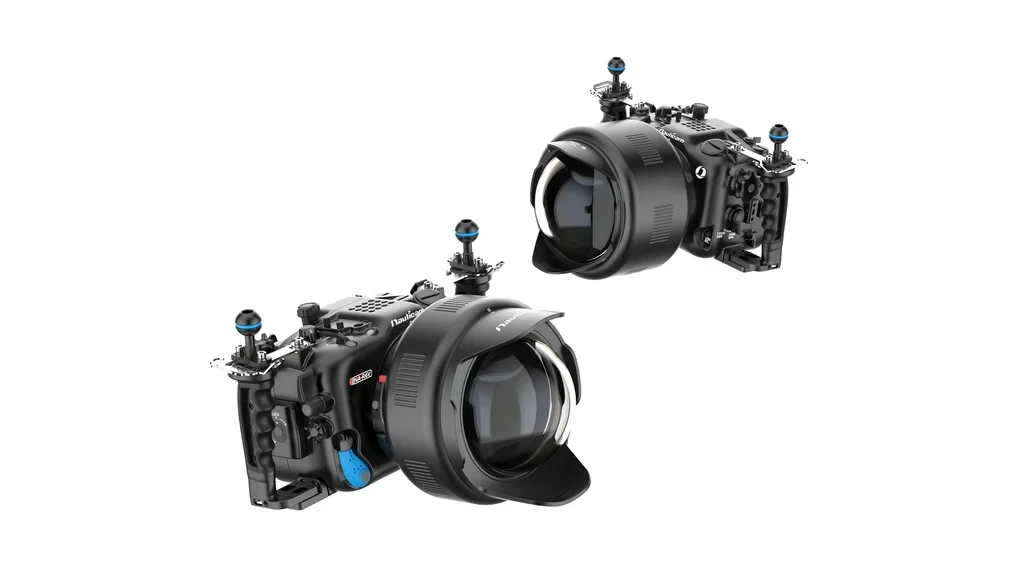


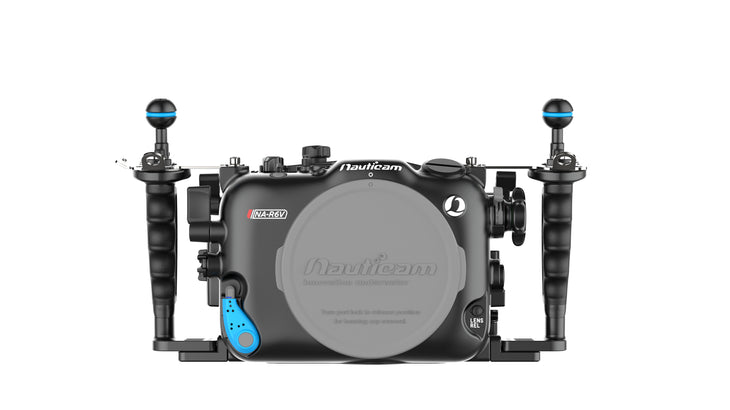
Nauticam Canon R6 V Underwater Housing
A professional 100 m aluminum underwater housing built around the Canon EOS R6 V's video-first workflow, with N120 RF optics, direct zoom/focus control, and serious external-monitor support.
The Nauticam NA-R6V is a purpose-built underwater housing for the Canon EOS R6 V, designed primarily for serious underwater videographers who want professional ergonomics, a deep 100 m rating, external HDMI monitoring, and access to Nauticam's extensive N120 optical system.
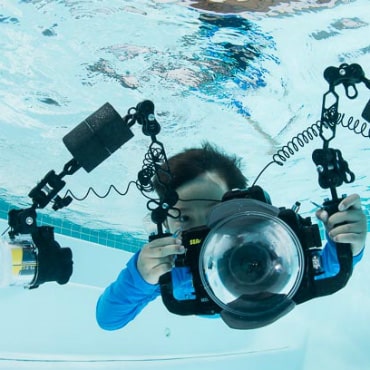
In real diving terms, this is the housing we would look at for shooting reefs, wrecks, large animals, commercial video, or long-form sequences where you need to keep both hands planted on the handles while controlling record, autofocus, playback, zoom, and focus without fighting the rig.
- Best for: Canon EOS R6 V shooters prioritizing professional underwater video and cinema-style rigging.
- Main advantage: N120 RF Mount II optics plus unusually direct access to critical video controls.
- Compatibility: Canon EOS R6 V only; ports, lens gears, and extensions must match Nauticam's R6 V port chart.
- Standout feature: One lens-control knob can switch between zoom and focus using the lever beneath it.
- Professional expansion: HDMI 1.4/2.0 support, multiple mounting points, optional vacuum valve, monitor systems, and USB-C charging bulkhead.
- Important limitation: Flash triggering and X-sync for still photography are not supported by this housing.
Quick Specs
Canon R6 V Housing Compatibility
Works With
- Canon EOS R6 V camera
- Nauticam N120 RF Mount II ports and compatible extensions
- Supported Canon RF lenses listed on the R6 V port chart
- RF Lens Gear System II gears, PN 19630–19648 where specified
- Compatible Nauticam HDMI 1.4 and HDMI 2.0 monitor systems
Requires
- Correct N120 port for your exact lens
- Correct extension ring where specified
- Correct zoom/focus gear for lenses requiring mechanical control
- Continuous video lights if artificial lighting is needed underwater
- Port-chart verification before ordering a new lens configuration
Optional Gear
- Nauticam M16 Vacuum Valve II, PN 25625
- External monitor housing and HDMI cable system
- USB-C bulkhead, PN 26325
- Video lights, arms, clamps, float arms, and tripod hardware
- WACP, WWL, FCP, MFO, SMC, and other compatible water-contact optics
Premium Professional Optics
The NA-R6V uses the N120 Auto Lock Port System II (international patent pending), which seats and locks the port with a positive, tool-free action and drives RF lenses through the RF Lens Gear System II. Canon builds excellent wide glass, and lenses like the RF 15-35mm f/2.8 L perform well behind a Nauticam glass dome port. Some loss of edge sharpness and contrast is an unavoidable limitation of any dome. Nauticam water contact optics maximize sharpness corner to corner while improving contrast and autofocus performance, which matters most on the large frame area the R6 V uses in 7K and Open Gate capture.
Standout Configurations
- Canon RF 20-50mm f/2.8 power zoom with the WACP-1B — the best image quality available on this system. A constant f/2.8 power zoom driven through the housing's lens control knob, in front of water contact optics that hold the corners wide open.
- Canon RF 24-50mm f/4.5-6.3 with the WWL-C — the most compact water-corrected system possible, and the choice when travel weight and packed volume drive the decision.
- Canon RF 100mm f/2.8 L Macro with the MFO-1, MFO-3 and
— one macro lens and port covering an enormous range of subjects. The MFO-1 improves overall image quality with a slight increase in magnification and meaningfully improves autofocus speed and accuracy, the MFO-3 widens the field of view for fish portraits and larger critters, and the SMC-3 delivers the highest magnification in the range for the smallest subjects. All three mount in the water on a flip holder.
The N120 system also opens the door to the rest of Nauticam's water contact optics, including the WACP-2 at a 140 degree field of view with compatible 14mm lenses and the FCP reaching 170 degrees with compatible 28mm lenses. Refer to the N120 RF Mount II Port Chart (C50 / R6III / R6V) for the full lens, gear, and port combinations.
Keep Your Hands on the Rig
Good underwater ergonomics are not about having every button available somewhere on the housing. They are about reaching the controls you actually use while maintaining a stable two-handed grip. The NA-R6V places the AF-ON lever at the rear right and Playback lever at the rear left, while key shooting controls sit around Nauticam's MIL handles.
- Less hand movement while tracking moving animals
- Useful when wearing gloves or working in current
- Faster review and autofocus operation
- More stable handheld video footage
One Control for Zoom and Focus
Nauticam's dual-function lens-control knob is one of the most useful R6 V-specific features. A lever beneath the knob switches the control between zoom and focus, giving videographers direct access to two lens functions without adding a second large control assembly.
- Switch between framing and manual-focus adjustments quickly
- Cleaner control workflow for video-oriented RF lenses
- Useful for deliberate focus pulls and changing subject distance
- Reduces unnecessary hand repositioning
Built for External Monitoring and Rigging
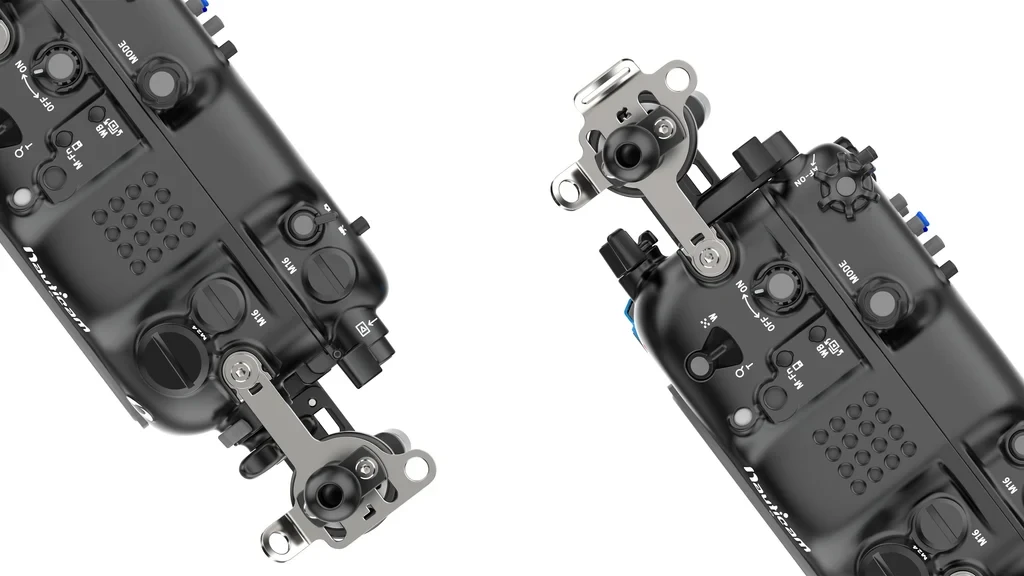
Because the R6 V has no eye-level viewfinder, a bright external monitor can be much more than a luxury underwater. The housing supports HDMI 1.4 and HDMI 2.0 configurations and provides extensive threaded mounting points for monitors, lights, tripod hardware, and buoyancy components.
- Supports professional topside-style monitoring underwater
- Multiple mounting options for balanced video-light placement
- Tripod/skid mounting points for static reef or macro sequences
- Compatible with several Nauticam monitor-housing configurations
Nauticam NA-R6V vs Ikelite 200DL Canon R6 V Housing
These are two very different approaches to housing the same camera. The better choice depends more on your shooting priorities than the logo on the front.
| Product | Build / Depth | Port System | Lighting / Triggering | Best Use | System Compatibility |
|---|---|---|---|---|---|
| Nauticam NA-R6V | Machined aluminum 100 m / 330 ft |
N120 RF Mount II | Continuous video lighting; flash trigger/X-sync unsupported | Professional underwater video, N120 optics, external-monitor rigs | Canon EOS R6 V only; Nauticam RF Lens Gear System II and R6 V port-chart combinations |
| Ikelite 200DL R6 V | ABS-PC 60 m / 200 ft |
Ikelite DL | Optional fiber-optic or electrical still-flash triggering | Value-focused hybrid shooters who want strobe options | Canon EOS R6 V only; Ikelite DL ports and lens-specific gearing |
| Ikelite 200DL Deluxe | Same 200DL housing 60 m / 200 ft |
Ikelite DL | Optional flash triggering | Buyers wanting the 200DL with dual handles, vacuum system, and USB-C bulkhead bundled | Canon EOS R6 V only; DL lens-port system |
Our take: Choose the Nauticam when N120 optics, deeper rating, aluminum construction, video-specific control ergonomics, and professional rig expansion are the priority. The Ikelite makes more sense when budget and still-strobe compatibility matter more.
Why Buy Your Nauticam Housing from Bluewater Photo?
A housing is only one part of an underwater camera system. The expensive mistakes usually happen with the port, extension, gear, HDMI cable, buoyancy, lighting, or accessory combination around it. Bluewater Photo's staff work with those system questions every day and can help configure the NA-R6V around the way you actually dive and shoot.
- Expert help matching lenses to the correct Nauticam port configuration
- Guidance on monitor, HDMI, USB-C, vacuum, lighting, and buoyancy setups
- Support from people familiar with real underwater camera workflows
- Lifetime support with purchases from Bluewater Photo
- Free shipping on qualifying orders to the USA and Canada under current Bluewater shipping terms
Content reviewed by Bluewater Photo staff, recognized as the #1 online retailer specializing in underwater photography and scuba diving equipment, with real-world experience supporting, selling, and configuring underwater camera systems.
Ready to Build Your Canon R6 V Underwater System?
Expert support from underwater photographers.
Learn More — Guides & Articles
- Best Underwater Camera for 2025 — Our top picks for the best cameras for underwater photography for 2025.
- Best Dive Computer — Our top dive computer picks for 2025
- Underwater Photography Guide — lighting & strobe technique fundamentals
- Best Video lights for 2025 — Our top video lights picks for 2025.
- Best Underwater Strobes & Flashes - our top picks for 2026
Nauticam NA-R6V Specifications
Build
- Product code: 17346
- Compatible camera: Canon EOS R6 V
- Housing dimensions: 358 mm W × 201 mm H × 134 mm D
- Weight in air: 2.96 kg
- Buoyancy in water: Neutral with camera and battery
- Depth rating: 100 m / 330 ft
- Handles and stabilizing brackets: Pre-installed
Ports & Optics
- Port system: N120 RF Mount II
- Shared port-chart family: C50 / R6III / R6V
- Compatible lens gears: RF Lens Gear System II, PN 19630–19648
- N120 Auto Lock Port System II
- Dual-function zoom/focus lens control knob
Connections & Expansion
- Front accessory ports: 1 × M24, 1 × M16
- Rear accessory port: 1 × M16
- HDMI support: HDMI 1.4 / 2.0
- Front-top mounting: 16 × 1/4-20 UNC + 1 × M10
- Bottom mounting: 3 × 1/4-20 UNC + 6 × M5
Controls & Safety
- MIL handles with Rotary Housing Lock
- Rear-right AF-ON lever
- Rear-left Playback lever
- Moisture alarm and leak detector system
- Optional M16 Vacuum Valve II for vacuum monitoring
- Flash trigger / X-sync: Unsupported
Main O-Ring
- Nauticam 90137 Housing O-ring
- Inside diameter: 170 mm
- Cross section: 2.5 mm
In the Box
- NA-R6V housing
- Housing cap
- 2 handles with mounting balls
- 2 handle brackets
- CR2032 battery for moisture alarm
- Spare main O-ring, remover, and lubricant
- Allen-key set
- Padded housing bag and shoulder strap
Optional Accessories for the Nauticam Canon R6 V Housing
Build out the NA-R6V for lighting, monitoring, wet optics, travel, or professional video production. Accessory requirements vary by lens, port, monitor, and cable configuration, so contact Bluewater Photo if you would like us to verify your complete setup before ordering.
Housing Mount
| Part # | Accessory |
|---|---|
| 17959 | Housing Mounting Ball with 1/4" Screws |
| 25221 | M10 Strobe Mounting Ball for Housing |
| 25224 | M10 Strobe Mounting Ball for Housing with Hole for Lanyard |
| 25218 | Mounting Ball Set for Tripod |
| 25228 | M5 Strobe Mounting Ball for Housing |
Vacuum Valve & Lanyard
| Part # | Accessory |
|---|---|
| 25625 | M16 Vacuum Valve II with Pushbutton Release |
| 25413 | 27cm Lanyard with 2 Snap Hooks |
USB-C Charging
| Part # | Accessory |
|---|---|
| 26325 | USB-C Bulkhead with USB-C Connector |
| 26326 | M24-M16 Adaptor for use with 26325 (not necessary for the NA-R6V configuration) |
HDMI Output & External Monitor Options
The NA-R6V can be configured for HDMI 2.0 or HDMI 1.4 monitoring. The correct system depends on the monitor housing, internal HDMI cable, and whether you also want to use the USB-C charging bulkhead.
1. HDMI 2.0 Cable System
Required accessories:
| Part # | Accessory | Setup Note |
|---|---|---|
| 25086 | M24 Adaptor for HDMI 2.0 Cable | Includes tightening tool |
| 25099 | M24A2R200-M28A1R170 HDMI 2.0 Cable | Not supported for simultaneous use with 26325 USB-C. |
Compatible HDMI 2.0 Monitor Housings
- 16613 — Nauticam Atomos Ninja TX Housing for Atomos Ninja TX / TX O / RAW Monitor
- 17922 — Nauticam Atomos Ninja V Housing for Atomos Ninja V 5" 4Kp60 4:2:2 10-bit Recorder/Monitor/Player, excluding HDMI 2.0 cable
- 17922S — Nauticam Atomos Ninja V-S Housing for Atomos Ninja V with Atomos AtomX SDI Module, excluding HDMI 2.0 cable
2. HDMI 1.4 Cable System
Required accessories:
| Part # | Accessory | Setup Note |
|---|---|---|
| 25033 | Standard HDMI Bulkhead with M16 Thread | HDMI 1.4 bulkhead connection |
| 26326 | M24-M16 Adaptor | For configurations requiring an M16 accessory in an M24 port |
| 25100 | HDMI (D-A) 1.4 Cable, 200mm, Bulkhead to Camera | Not supported for simultaneous use with 26325 USB-C. |
| 25075 | HDMI (D-A) Cable, 190mm, Internal Bulkhead to Camera | Supported for simultaneous use with 26325 USB-C. |
Compatible HDMI 1.4 Monitor Options
- 16611 — Nauticam 7" G7 UW UltraHD Monitor, 4K HDMI / 2K SDI input, excluding cables
- 16612 — Nauticam 7" T7 UW UltraHD Monitor with HDMI 1.4 input, excluding cables
- 25047 — HDMI (D-D) Cable, 800mm, between HDMI bulkheads; required for use with 16611 / 16612
- 17927 — NA-Shinobi II Housing for Atomos Shinobi II 5.2" Monitor with HDMI 1.4 input; includes 25033, 25038 and 25100
Monitor Mounting Options
| Part # | Mounting Accessory |
|---|---|
| 17951 | Nauticam Atomos Shogun Housing Mounting System |
| 17954 | Tripod Plate for NA-A7S and NA-GH4 |
| 17957 | Nauticam Monitor Housing Mounting Adaptor |
| 17960 | Universal Quadra-Pod Plate for Nauticam Housings |
| 17961 | Swivel and Tilt Adjustable Monitor Mount System — compatible with 16612, 16613, 17927, 17922 and similar configurations |
Compatible Nauticam Wet Lens Options
Wet-optic compatibility depends on the camera lens, port, adaptor, and intended field of view. A wet lens listed here should not be assumed compatible with every Canon RF lens.
Macro Wet Lenses
| Part # | Wet Lens |
|---|---|
| 81202 | Super Macro Converter 2 — 4x Magnification |
| 81203 | Super Macro Converter 3 — 2.3x Magnification |
| 81301 | Compact Macro Converter 1 (CMC-1) — 4.5x Magnification |
| 81302 | Compact Macro Converter 2 (CMC-2) — 2.8x Magnification |
| 81501 | Mid-range Focus Optimizer 1 |
| 81503 | Mid-range Focus Optimizer 3 |
Wide-Angle Wet Lenses & Conversion Ports
| Part # | Optic | Coverage / Compatibility Note |
|---|---|---|
| 83202 | Wet Wide Lens 1B (WWL-1B) | 130° FOV with compatible 28mm lenses; includes float collar |
| 83203 | Wet Wide Lens Compact (WWL-C) | 130° FOV with compatible 24mm lenses |
| 85204 | Wide Angle Conversion Port 2 (WACP-2) | 140° FOV with compatible 14mm lenses; includes float collar |
| 85205 | N100 0.36x Wide Angle Conversion Port Compact (WACP-C) | Lens and port compatibility must be confirmed |
| 85206 | N120/N100 0.36x Wide Angle Conversion Port (WACP-1B) | Integrated float collar and interchangeable port mounting ring |
| 85207 | N120/N100 Fisheye Conversion Port (FCP) | 170° FOV with compatible 28mm lenses; integrated float collar |
Macro-to-Wide-Angle Wet Optics
| Part # | Accessory |
|---|---|
| 86201 | Macro to Wideangle Lens 1 (MWL-1) — 150° FOV with full-frame 60mm macro lens |
| 87303 | EMWL Set #3 — includes Focusing Unit #3, 150mm Relay Lens and 3 Objective Lenses |
| 87203 | EMWL Focusing Unit #3 for Canon RF 100mm f/2.8 Macro |
| 87211 | EMWL 150mm Relay Lens |
| 87212 | EMWL Angled Relay Lens |
| 87221 | EMWL 60° Objective Lens |
| 87222 | EMWL 100° Objective Lens |
| 87223 | EMWL 130° Objective Lens |
| 87226 | EMWL 160° Objective Lens |
Wet Lens Mounts, Holders & Accessories
| Part # | Accessory |
|---|---|
| 25101 | M67 Flip Diopter Holder for M67 Macro Ports |
| 25108 | M67 Double Flip Holder for M67 Macro Ports |
| 83250 | M67 to Bayonet Converter II |
| 83251 | M77 to Bayonet Converter II |
| 83214 | Bayonet Mount Adaptor for SMC / CMC |
| 86221 | M67 Flip Holder for MWL-1 |
| 86222 | Double Flip Holder for MWL-1 |
| 87501 | Flip Holder for EMWL |
| 87512 | Shade for 130° Objective Lens |
| 87513 | Shade for 100° Objective Lens |
| 87516 | EMWL Bayonet Holder for Ø70 Float Arm |
| 87517 | EMWL Bayonet Holder for Ø90 Float Arm |
| 87518 | Strobe Mounting Brackets for EMWL Relay Lens |
Buoyancy & Float Arm Options
The correct amount of flotation depends on your port, lens, wet optic, monitor, lights, clamps, and arm configuration. Larger domes, WACP/FCP optics, and external monitors can substantially change the balance of the complete rig.
| Part # | Float Arm / Holder | Buoyancy |
|---|---|---|
| 72261 | Ø70 × 200mm Carbon Fibre Aluminium Float Arm | 370g |
| 72262 | Ø70 × 250mm Carbon Fibre Aluminium Float Arm | 520g |
| 72263 | Ø70 × 300mm Carbon Fibre Aluminium Float Arm | 670g |
| 72264 | Ø90 × 170mm Carbon Fibre Aluminium Float Arm | 450g |
| 72265 | Ø90 × 220mm Carbon Fibre Aluminium Float Arm | 720g |
| 72266 | Ø50 × 200mm Carbon Fibre Aluminium Float Arm | 160g |
| 72267 | Ø50 × 250mm Carbon Fibre Aluminium Float Arm | 240g |
| 72268 | Ø50 × 300mm Carbon Fibre Aluminium Float Arm | 320g |
| 72233 | Single Bayonet Holder II for Ø70 Float Arm | — |
| 72234 | Double Bayonet Holder II for Ø70 Float Arm | — |
| 72243 | Single Bayonet Holder II for Ø90 Float Arm | — |
| 72244 | Double Bayonet Holder II for Ø90 Float Arm | — |
| 83252 | Bayonet Holder for Arms | — |
| 83253 | Double Bayonet Holder for Arms | — |
| 83254 | Bayonet Lens Holder for Inon Float Arms | — |
Not Sure Which Accessories You Need?
Nauticam systems are highly configurable, but that also means small differences in lens, port, HDMI cable, monitor, or wet-optic choice can change the required parts. Send Bluewater Photo your complete camera and lens setup and we can help you build the correct configuration.
Expert support from underwater photographers.
- NA-R6V Housing Housing Cap
- 2x Handles with mounting balls and 2x handle brackets
- Panasonic CR-2032 Battery (pre-installed for moisture alarm)
- Spare main O-ring,
- O-ring remover and lubricant
- Set of Allen Keys
- Padded housing bag and shoulder strap
Frequently Asked Questions
Does the Nauticam NA-R6V fit the Canon R6 III or R6 Mark II?
No. The NA-R6V is specified for the Canon EOS R6 V. Although the R6 V shares an N120 RF Mount II port-chart family with the R6 III and C50, that does not make the camera bodies interchangeable between housings.
Which port do I need for my Canon RF lens?
It depends on the exact lens. Check Nauticam's N120 RF Mount II port chart for the required port, extension, and RF Lens Gear System II component, or send Bluewater Photo your lens model and we can confirm the complete setup.
Can I use underwater strobes with the Nauticam R6 V housing?
Not through normal camera flash triggering or X-sync; Nauticam specifies that flash triggering is unsupported on the NA-R6V. This housing is therefore best treated as a video-first system using continuous underwater video lights.
Does the NA-R6V include a vacuum valve?
The housing includes moisture/leak detection electronics, but the M16 Vacuum Valve II is an optional accessory. Add PN 25625 if you want to pull and monitor a vacuum on the assembled housing.
Can I connect an external monitor underwater?
Yes. The housing supports HDMI 1.4 and HDMI 2.0 configurations with compatible bulkheads, cables, monitor housings, and mounting hardware.
How deep can I dive with the Nauticam Canon R6 V housing?
The NA-R6V is depth rated to 100 m / 330 ft. Always stay within your training, certification, gas plan, and personal diving limits regardless of the housing's maximum rating.
What maintenance should I do after a saltwater dive?
Rinse the assembled housing thoroughly in fresh water while operating the controls, then dry it before opening. Inspect the main O-ring and sealing surfaces before the next dive, and never use excessive lubricant.
Is the Nauticam NA-R6V better than the Ikelite R6 V housing?
The Nauticam is the stronger choice for a premium aluminum, 100 m, N120 video system with high-end optics and monitor expansion. Ikelite is worth considering if lower system cost and still-strobe triggering are higher priorities.
Why Buy from Bluewater
- Authorized Sea & Sea dealer — full manufacturer warranty.
- Founded and staffed by active divers, underwater photographers, and explorers.
- Decades of combined hands-on experience with the gear we sell.
- We test and use most of the equipment ourselves before recommending it.